Your business website is often the first conversation a customer has with your company. Research on online behavior consistently shows that visitors form an opinion about a website within seconds, and a confusing or outdated site sends them straight to a competitor. The good news is that a high-converting business website is not a mystery — it is the result of deliberate planning around your audience, clear messaging, and thoughtful design.
This guide walks you through everything that goes into a business website design that actually brings in customers: understanding your audience, structuring your pages, designing for mobile, building trust, avoiding common mistakes, and choosing the right design partner.
What Makes a Business Website Effective?
An effective business website does three things well: it attracts the right visitors, it explains clearly what you offer and why it matters, and it guides those visitors toward a single next step — contacting you, requesting a quote, or making a purchase.
Design trends come and go, but the fundamentals of an effective website have stayed remarkably consistent:
- Clarity beats cleverness. Visitors should understand what you do within five seconds of landing on your homepage.
- Every page has one primary job. A homepage builds confidence; a service page explains an offer; a contact page makes reaching you effortless.
- Design supports the message. Layout, typography, and color should make content easier to scan and act on, not distract from it.
Understand Your Audience and Define Your Goals
Before a single page is designed, answer two questions: who is this website for, and what should they do on it?
Define your target audience
Write down who your ideal customer is — their industry, their role, the problems they need solved. A website for restaurant owners looks and reads very differently from one for real estate investors. When you know your audience, you can choose the right tone, imagery, and proof points.
Set one primary conversion goal
Most business websites exist to generate enquiries. Common goals include contact form submissions, quote requests, phone calls, or online purchases. Pick the one that matters most and design everything around it. Secondary goals — newsletter signups, brochure downloads — can support it, but should never compete with it.
Plan Your Website Structure and Navigation
A logical structure helps both visitors and search engines understand your site. Keep it simple:
- Homepage — who you are, what you do, and why it matters.
- Services — one page per service, written for the customer, not for you.
- About — your story, your team, and what makes you different.
- Portfolio or case studies — proof that you have done this before.
- Blog — answers to the questions your customers ask.
- Contact — every way to reach you, with a short form.
Navigation best practices
Limit your main menu to five to seven items, use plain language (“Services” instead of “What We Do”), and put your contact page or call to action where people expect it — at the far right of the menu. Mobile visitors should get the same structure through a clear, easy-to-tap menu.
Design a Homepage That Converts
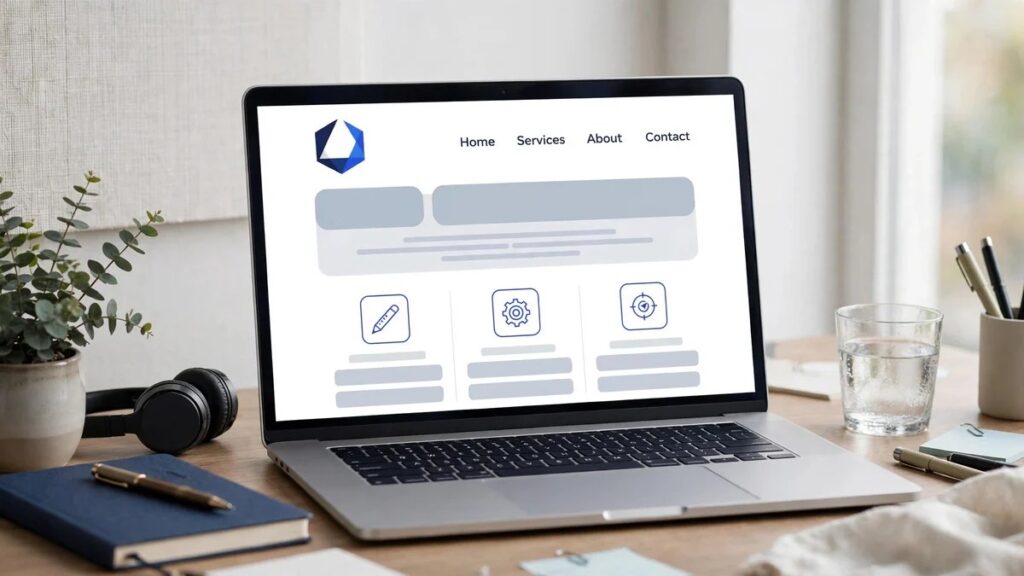
Your homepage is your digital storefront. A proven layout includes:
- A clear headline. State what you do and who it is for in one line. Avoid vague slogans.
- Supporting text. One or two sentences on the outcome you deliver — not a list of features.
- A primary call to action. A visible button such as “Get a Free Quote” or “Contact Us” should appear without scrolling.
- Proof. Testimonials, client logos, or a short list of results build confidence quickly.
- Service overview. Brief descriptions with links to each service page.
- Final call to action. Repeat the primary CTA near the bottom for visitors who scrolled through.
Calls to action that work
A call to action should be specific and low-risk. “Get a Free Quote” outperforms “Submit” because it tells the visitor exactly what happens next and what it costs them (nothing). Use action-oriented verbs, keep the button text under four words, and repeat the primary CTA in the header, on the homepage, and at the end of service pages.
Design for Mobile First
For most businesses, the majority of website visits now come from phones. Google also uses the mobile version of your site for indexing and ranking, as explained in Google’s SEO Starter Guide. Mobile-first design means:
- Text that is readable without zooming.
- Buttons and links large enough to tap comfortably.
- A menu that opens easily and shows all key pages.
- Phone numbers that are clickable, so visitors can call in one tap.
- Forms with as few fields as possible — every extra field reduces completions.
Always test your site on a real phone, not just a desktop browser resized to a narrow window.
Build Trust Signals and Accessibility
Trust signals
New visitors do not know you yet. Trust signals bridge that gap: genuine testimonials, a real team page with photos, clear contact details (including a physical location or service area), privacy and terms pages, and secure HTTPS browsing. Display any relevant certifications or memberships your business holds.
Accessibility
An accessible website works for everyone, including visitors using screen readers or keyboard navigation. Practical steps include sufficient color contrast, descriptive link text (“Read our pricing guide” instead of “Click here”), meaningful alt text on images, and a logical heading order. The Web Content Accessibility Guidelines (WCAG) from the W3C are the authoritative reference.
Page Speed and User Experience
A slow website loses customers before your design even gets a chance. Studies on web performance have repeatedly linked faster pages with better engagement and conversion. Keep images compressed and correctly sized, avoid heavy animations and autoplay video, and choose reliable hosting. You can measure your current performance free with PageSpeed Insights, which reports both lab data and real-world user data.
Common Website Design Mistakes to Avoid
- Vague headlines. “Welcome to our website” says nothing; say what you do.
- Too many competing CTAs. One primary action per page.
- Stock photos that say nothing. Use real photos of your team and work where possible.
- Hiding contact information. Phone, email, and a form should be one click away, always.
- Neglecting the thank-you page. After a form submission, confirm what happens next and when.
- Designing only for desktop. If it does not work beautifully on a phone, it does not work.
- No analytics. You cannot improve what you do not measure — install analytics from day one.
Website Launch Checklist
Before your site goes live, work through this checklist:
- All pages proofread — no placeholder text or lorem ipsum.
- Contact forms tested end-to-end (submit and confirm you receive the email).
- Site tested on phone, tablet, and desktop.
- Page speed checked with PageSpeed Insights.
- SEO basics in place: unique titles, meta descriptions, and an XML sitemap.
- Analytics installed and recording.
- Favicon set; social sharing images set.
- Backups configured and a restore tested.
- Legal pages published (privacy policy, terms).
How to Choose the Right Website Design Partner
If you hire an agency or freelancer, look beyond the portfolio’s visual polish. Ask:
- Can they explain their process from discovery to launch?
- Will you be able to update the site yourself afterward?
- Do they write or help with content, or only design?
- How do they handle SEO basics, speed, and mobile?
- What support do they offer after launch?
Be cautious of anyone who promises top Google rankings or guarantees specific traffic — no honest professional can promise that. A good partner talks about process, measurement, and realistic outcomes.
If you would rather have professionals handle it, Codeify Digital’s website design and development service covers strategy, design, development, and post-launch support for businesses that want a website built to convert.
Frequently Asked Questions
How much does a business website cost?
Costs vary widely depending on size, custom design needs, and functionality. A simple brochure site costs far less than a custom e-commerce build. Always get a detailed quote based on your specific requirements rather than a one-size-fits-all price.
How long does it take to build a business website?
A typical small business website takes two to six weeks from kickoff to launch, depending on content readiness and revisions. Delays usually come from content, not design — having your text and images ready speeds things up enormously.
Should I use WordPress or a custom-built website?
WordPress is an excellent choice for most businesses: it is flexible, well-supported, and easy to update yourself. Custom development makes sense when you have unique functionality that standard platforms cannot handle well.
Do I need a blog on my business website?
A blog is optional, but it is one of the best ways to answer customer questions and attract search traffic over time. Only start one if you can publish consistently — a blog with three posts from two years ago hurts more than it helps.
What is the most important page on a business website?
For most businesses, the homepage and the contact page. The homepage creates the first impression and routes visitors; the contact page is where interest turns into a conversation. Both deserve extra attention.
Can I update the website myself after launch?
Yes — with a content management system like WordPress, you can update text, images, and blog posts without touching code. Make sure your design partner hands over full access and a short training on the basics.
Conclusion
A business website that converts is not about the latest design trend — it is about clarity, trust, and guiding visitors to one clear next step. Plan around your audience, keep navigation simple, design for mobile, prove your credibility, and measure what happens. Do that, and your website stops being an online brochure and starts being your hardest-working salesperson.
References: Google Search Central — SEO Starter Guide; W3C — Web Content Accessibility Guidelines; web.dev — Core Web Vitals.