Every small business needs design work — a logo, social media graphics, a flyer, a website banner, packaging, a pitch deck. And every small business owner eventually faces the same question: who should actually make all this?
Your options are a freelancer, an agency, a subscription design service, or hiring in-house. Each one is the right answer for somebody — and the wrong answer for somebody else. This guide breaks down what graphic design services actually cover, which design work to buy first, how the four buying models compare, and how to judge a designer before you commit.
What Graphic Design Services Actually Cover for a Small Business
“Graphic design” is a wide umbrella. For a small business, it usually breaks down into five groups:
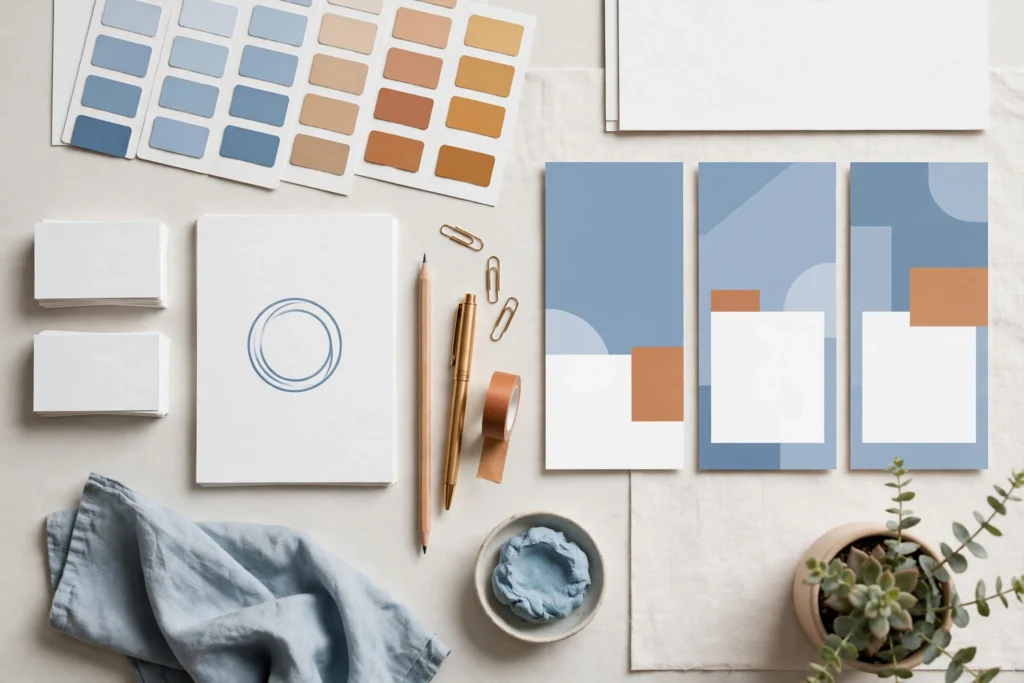
- Brand identity: logo, color palette, typography, and the basic brand rules that keep everything looking like one business. (See our guide to brand identity design.)
- Social and content graphics: post templates, thumbnails, banners, story graphics, ad creatives — the everyday fuel of your online presence.
- Marketing materials: flyers, brochures, business cards, menus, email headers, pitch decks, event signage.
- Web graphics: hero images, icons, infographics, blog illustrations — the visual layer of your website.
- Packaging and product: labels, boxes, product mockups — relevant once you sell physical goods.
You don’t need all five on day one. In fact, buying them in the wrong order is one of the most common ways small businesses waste design budget — which is exactly what the next section fixes.
Which Design Work to Buy First
If your design budget is limited (and whose isn’t), spend it in this order:
1. Logo and a basic brand style guide. Your logo, colors, and fonts are decided once and used everywhere. Getting this right first means every future asset — from business cards to website banners — starts consistent instead of needing to be fixed later. Fixing inconsistency retroactively across dozens of assets is far more expensive than setting the rules up front.
2. Social media templates. These are the assets you’ll use most often. A reusable template system lets you produce new posts in minutes instead of commissioning a new graphic every time — which is why templates are usually the second design investment a growing business makes.
3. Core marketing materials. Business cards, a one-page flyer, an email header, a simple pitch deck — whatever your sales process actually uses.
4. Everything else, as you grow. Packaging, motion graphics, detailed illustrations, and print campaigns matter more once the identity and content system are already in place.
The principle: invest first in the assets that multiply — the ones every future design depends on. If you’re still at step one, our breakdown of what logo design costs will help you budget for it.
The Four Ways to Buy Design Help
1. Freelancer
Best for: defined, one-off projects — a logo, a flyer set, a deck redesign.
Freelancers are flexible and usually the most affordable per project. The trade-off is availability: good freelancers are busy, turnaround depends on their queue, and quality varies enormously. You’re also managing the relationship yourself — briefing, feedback, revisions, files. Works well when you know exactly what you need and don’t need it constantly.
2. Design agency
Best for: bigger, strategic work — a full rebrand, a campaign, a website’s complete visual layer.
Agencies bring a team: strategists, designers, project managers. You get process, reliability, and breadth — and you pay for it. For a full brand identity or a coordinated campaign, that overhead is worth it. For a stream of small weekly graphics, it’s usually overkill (and overpriced).
3. Subscription design service
Best for: steady, ongoing design needs — social graphics, ad creatives, marketing materials month after month.
The model: a flat monthly fee for unlimited (or tiered) design requests with a consistent team and fast turnaround. It removes the overhead of briefing a new freelancer every time, and for businesses with recurring needs it often works out cheaper than it looks on paper. The catch: it suits recurring work. If you only need design a few times a year, a subscription is the most expensive way to buy it.
4. In-house designer
Best for: businesses with constant, high-volume design needs and the budget to match.
An in-house designer gives you instant availability and deep brand familiarity. But the true cost goes well beyond salary — industry figures commonly cited put designer salaries around $55,000–$80,000 a year, plus benefits, software, and management overhead. For most small businesses, that’s a hire you make after design is already a proven revenue driver, not before.
The short version: one-off project → freelancer; strategic overhaul → agency; steady monthly needs → subscription; constant high volume → in-house. Most small businesses start with a freelancer and graduate to a subscription as their needs grow.
How Much Should You Budget?
Design pricing comes in four shapes, and you should know which one you’re being offered before you commit:
- Hourly. Common with freelancers. Good for small, well-defined tasks; risky for open-ended work unless there’s a cap.
- Per project. A fixed price for a defined deliverable — a logo package, a template set. The safest model for one-off work, as long as the deliverables and revision rounds are written down.
- Monthly subscription. Flat fee for ongoing requests. Compare the monthly cost against how many requests you’ll realistically make — the model only wins on volume.
- Salary. The in-house route, with the full overhead described above.
Whatever the model, three questions protect your budget: What’s included in the price? How many revision rounds? Who owns the source files? Get the answers in writing. (On that last one — see the FAQ below.)
What Good Looks Like: How to Judge a Designer’s Portfolio
A portfolio is the single most useful hiring tool you have — if you read it correctly. Don’t just look for pretty pictures. Look for these:
- Problem-solving, not decoration. The best portfolios show work that solved a business problem: a rebrand that clarified a confusing company, packaging that stands out on a shelf, a campaign with a clear idea. Ask what the brief was and whether it worked.
- Variety within consistency. Can they adapt to different industries and briefs while keeping each brand coherent? A designer who only makes one style of thing will make your business look like their last client.
- Relevant experience. Every industry has its own visual expectations — a restaurant menu, a law firm’s brochure, a SaaS landing page. Experience in your field means fewer rounds of “that’s not how our industry works.”
- Real-world application. Mockups are nice; photos of the design actually printed, posted, or live are better. They prove the designer thinks about how work survives contact with reality.
And read the reviews like a detective: what do other small business owners say about communication, deadlines, and how revisions were handled? A brilliant designer who’s impossible to reach is a bad hire.
Red Flags When Hiring a Designer
- No questions about your business. A great designer asks about your customers, your competitors, and your goals. One who takes your order without questions is decorating, not designing — and the result will show it.
- No contract, no scope. Deliverables, timelines, revision limits, and file ownership should be in writing. “We’ll figure it out as we go” is how projects double in price.
- Portfolio full of templates passed off as custom work. Templates have their place (see the FAQ), but a designer charging custom prices for unmodified template work is misrepresenting what you’re buying.
- Unlimited revisions promised with suspiciously low prices. Professional work takes professional time. Prices far below market usually mean corners cut somewhere — originality, communication, or both.
- They won’t share source files. If you can’t get the editable files for work you paid for, you’re locked into that designer forever. This should be agreed before the project starts, not discovered after.
Working With a Designer: Getting Good Results
Good design is a collaboration, and half the outcome is on you. Three habits make everything better:
Write a real brief. Even a short one: what the asset is for, who it’s for, what action it should drive, examples of styles you like and don’t like, and the deadline. A designer working from a vague “make it pop” will guess — and you’ll pay for the guessing in revision rounds.
Give structured feedback. “I don’t like it” helps nobody. Say what’s working, what isn’t, and why — referencing the brief. The best feedback sounds like: “The layout is strong, but the headline needs to be readable at a glance because most people will see this on their phones.”
Respect the revision process. Two to three revision rounds is standard for project work. Use them wisely: consolidate feedback from everyone on your side into one round instead of dribbling it in. Nothing burns a designer relationship faster than “one more tiny change” repeated six times.
Frequently Asked Questions
Should I just use Canva instead of hiring a designer?
For quick, low-stakes graphics — a social post, an internal slide — Canva and similar tools are genuinely fine. But they can’t replace a designer for the work that defines your brand: your logo, your visual identity, and any asset where looking generic costs you credibility. A useful rule: use DIY tools for disposable content, hire a professional for permanent assets.
How many revisions should I expect?
Two to three rounds is the industry norm for project-based work. That should be plenty if the brief was clear. If you’re hitting round five, the problem is usually the brief, not the designer — step back, clarify what you actually want, and reset.
Who owns the design files and source files?
You should — for work you paid for. This means the final files and the editable source files (so another designer can work with them later). Some designers charge extra for source files or withhold them by default; whatever the arrangement, agree on it in writing before the project starts. It’s one of the most common post-project disputes in the industry, and entirely avoidable.
Can one designer handle both my logo and my website?
Sometimes, but they’re different disciplines. Logo and brand identity designers think in symbols, systems, and print; web designers think in layouts, usability, and screens. Many designers do both competently at a small-business level. For anything ambitious, hire the specialist for each — a great logo from a brand designer, a great site from a web team — and make sure they share the brand guidelines.
Where Graphic Design Fits Your Marketing
Here’s the honest hierarchy: your brand identity makes you recognizable, your website makes you credible, and your ongoing graphics keep you visible. Design supports all three — but it can’t substitute for any of them. A beautiful Instagram feed won’t save a confusing website, just as a great website can’t compensate for a brand nobody remembers.
Start with the foundation — logo, style guide, templates — and build from there. And if you’d rather hand the whole visual side to a team that thinks about it as a system, not a pile of one-off graphics, take a look at our graphic design services. If you’re still budgeting, our guide to what logo design costs is the natural next read — or get a quote and tell us what you’re trying to build.