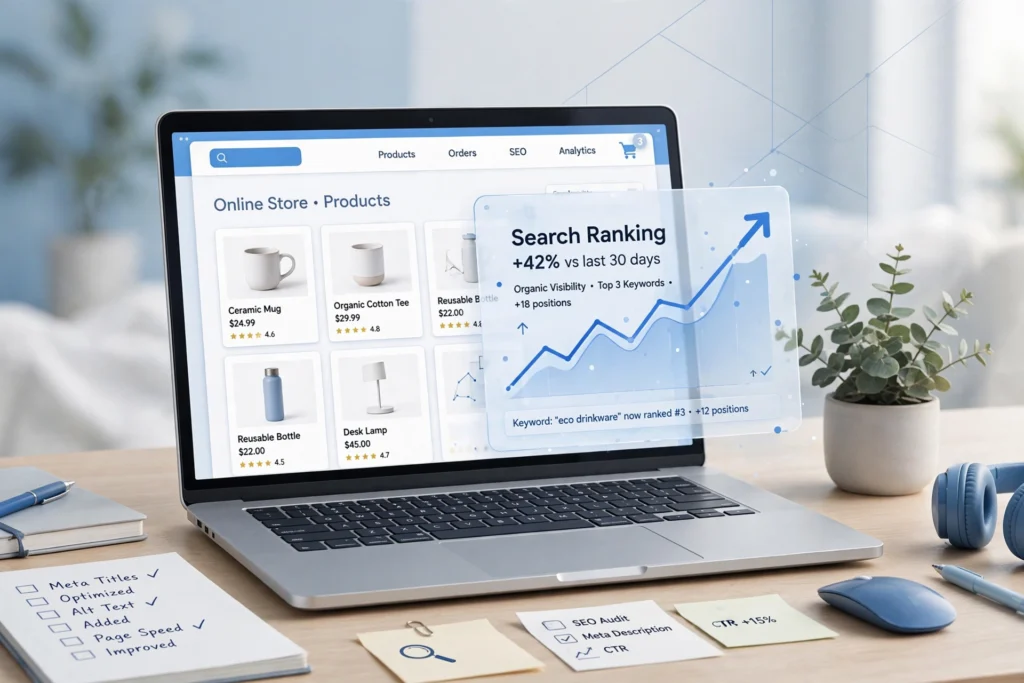
You built the store. You added the products. And organic traffic is still a trickle — while competitors keep paying for every click. That’s the frustrating reality of ecommerce SEO: you can do everything right on the surface and stay invisible, because search engines rank stores on things most merchants never see — how pages are crawled, how product data is structured, how fast pages load on a phone. This guide gives you the right sequence: what to fix first, what to fix next, and what genuinely doesn’t matter for your store right now.
What Makes Ecommerce SEO Different From Regular SEO
Google ranks ecommerce sites on four things, and stores are unusual in how much weight each carries:
Relevance — does the page specifically match what the shopper typed? A page for “stainless steel water bottle 32oz” needs product details, specs, and reviews about exactly that. Generic descriptions lose to thorough ones.
Authority — do other sites trust this store enough to link to it? Ten links from respected industry sites beat a thousand directory links. For stores, authority often comes from products worth reviewing and content worth citing.
User experience — speed, mobile usability, navigation. Google watches whether visitors bounce straight back to search results, which tells it the page didn’t satisfy them. Slow stores with confusing navigation get punished here, and the punishment looks like invisibility.
Technical health — can Google actually find, crawl, and index your pages? Stores are technical minefields: thousands of near-duplicate pages from URL parameters, thin product descriptions, broken internal links. A store can have great products and still be unfindable.
The money pages are also different. In ecommerce, category pages capture the high-volume “buy [product type]” searches, product pages capture exact-model searches, and content captures research queries that feed both. Most stores optimize the wrong page for the wrong query — which is where the sequence below starts.
The Right Order: Sequence Beats Tactics
Ecommerce SEO works best as a progression, not a pile of disconnected tactics. Fix the foundation before you decorate. The sequence below is roughly the order of impact for most stores — a 30-product WooCommerce shop and a 30,000-SKU catalog need different versions of the same list, but the order holds:
- Keyword research — know what to rank for
- Site architecture — make the store easy to crawl
- Technical SEO — remove the blockers
- Category pages — your biggest ranking opportunity
- Product pages — where the sale happens
- Content and internal linking — build topical authority
- Reviews and trust — earn clicks and conversions
- Speed and mobile — remove the abandonment layer
Step 1: Keyword Research — Map Every Keyword to the Right Page Type
The most common ecommerce SEO mistake is targeting everything with blog posts. Different searches have different intents, and each intent belongs on a different page type:
| Search | Intent | Page that should rank |
|---|---|---|
| “running shoes” | Browsing a category | Category page |
| “nike pegasus 41 men’s size 10” | Ready to buy a specific item | Product page |
| “running shoes vs trail shoes” | Researching before buying | Blog/guide, linking to the category |
| “how to choose running shoe size” | Needs guidance | Guide, linking to products |
Pull keywords from Search Console (your own search data is gold), competitor category structures, and autocomplete — then assign each keyword to exactly one page. Two pages targeting the same keyword cannibalize each other, and stores do this constantly without realizing it. Prioritize transactional keywords (“buy,” “best,” specific models) for category and product pages; use informational keywords for supporting content that links down to the money pages.
Step 2: Fix Your Site Architecture
Imagine a store where the aisles are a mess, products are mislabeled, and you can’t find the checkout. That’s how customers — and Google — experience a store with sloppy structure. The rules:
- Logical category hierarchy. Home → Category → Subcategory → Product, no more than three clicks deep. Organize the way shoppers think (“Women’s Shoes → Running → Trail Running”), not the way your warehouse thinks.
- Clean URLs. yourstore.com/womens-running-shoes beats yourstore.com/product?id=39847&cat=88 every time — for users, for click-through, and for crawling.
- Breadcrumbs on every product page, marked up with schema, so both users and Google understand the hierarchy.
- Faceted navigation with discipline. Filters are great for shoppers and terrible for SEO when every combination generates a crawlable URL. Noindex the filtered variants; keep one canonical version of each category.
Good architecture is also a conversion tool: shoppers who can find things buy things. Our ecommerce website development work treats catalog architecture — categories, attributes, filters, search — as a core deliverable, not an afterthought.
Step 3: Remove the Technical Blockers
Before optimizing a single title tag, make sure Google can actually use your store. The usual suspects:
- Duplicate content from URL parameters. Sorting, filtering, and tracking parameters create dozens of versions of the same page. Canonical tags pointing to the clean version are mandatory.
- Thin pages. Out-of-stock products with two sentences of text, empty categories, tag pages with no content — consolidate or enrich them. Every indexed page should earn its place.
- Crawl budget waste. Large catalogs burn Google’s crawl budget on junk URLs (internal search results, filtered pages, duplicate variants) while important pages wait. Block the junk in robots.txt and noindex directives; submit a clean XML sitemap with the pages that matter.
- Broken internal links and redirect chains. Stores churn products constantly. Audit quarterly; redirect discontinued products to the closest category, not to the homepage.
Google Search Console is the free, official way to see what Google actually finds wrong — start there before buying any crawler. Our guide on how to choose an SEO company includes what a proper technical audit should cover, if you’re evaluating help.
Step 4: Category Pages — Your Biggest Ranking Opportunity
Category pages outrank product pages for volume terms, yet most stores leave them as bare product grids with a two-word heading. This is the highest-leverage on-page work in ecommerce SEO. Upgrade each key category with:
- A keyword-targeted H1 and title tag (“Women’s Trail Running Shoes,” not “Category 12”)
- 150–300 words of genuinely useful intro copy — buying considerations, not filler. What should a shopper know before choosing? Sizing, materials, use cases.
- Internal links to top products and subcategories within the copy
- An FAQ block answering the questions shoppers actually ask (which doubles as FAQ schema material)
- Breadcrumbs with schema markup
Write the copy for the shopper first; the keyword targeting follows naturally when you describe the category properly.
Step 5: Product Pages — Where the Sale Happens
Product pages capture exact-model searches — the highest-intent traffic there is. The rules are simple but widely ignored:
- Unique descriptions, always. Manufacturer-supplied copy pasted across a hundred stores will not rank. Rewrite it: benefits, specs, use cases, and answers to the objections shoppers have (sizing, compatibility, returns).
- One primary keyword per product page — the exact model or product-type phrase — in the title tag, H1, and naturally in the copy.
- Optimized images: descriptive file names, alt text, compressed (WebP), and lazy-loaded below the fold. Product imagery is often the biggest page-weight offender on stores.
- Reviews on the page. They add fresh, unique content continuously, they convert, and review/rating schema can earn star ratings in search results — a real click-through advantage.
- Clear availability and trust signals: stock status, shipping info, returns policy, secure-checkout badges. These convert the traffic your SEO earns.
Step 6: Content That Supports Your Products
Here’s the weapon most store owners skip: content marketing. Every guide you publish is another chance to rank — and unlike a product page, a guide can capture shoppers before they’re ready to buy, then hand them to your categories when they are.
If you sell running shoes: “10 tips for training for your first 5K,” “best running shoes for beginners,” “how to avoid shin splints.” Each post targets research intent and links naturally to the relevant category and products. This is how stores build topical authority — Google starts seeing the site as the resource for the niche, which lifts the money pages too. Our content writing services exist precisely for stores that know they need this but don’t have the hours.
Step 7: Reviews, Trust Signals, and Product Schema
Reviews do triple duty: fresh content, conversion lift, and rich-result eligibility. Product schema (price, availability, ratings, review count) is what powers the rich product listings in search — the ones with stars, prices, and stock status that out-click plain blue links. Implement it on every product page, keep it accurate (fake review markup gets penalized), and make leaving reviews frictionless post-purchase.
Step 8: Speed and Mobile — Remove the Abandonment Layer
Over 60% of ecommerce traffic comes from mobile, and Google uses mobile-first indexing — it evaluates your mobile site before your desktop one. A slow store is a store people abandon, and abandoned visits are negative engagement signals on top of lost sales. The highest-impact fixes:
- Compress images (WebP, responsive sizes) — usually the single biggest win on stores
- Lazy-load below-the-fold images and videos
- Minimize heavy scripts, especially on product and checkout pages
- Streamline checkout for mobile: fewer steps, guest checkout, autofill-friendly fields
- Upgrade hosting if the server itself is the bottleneck — no plugin fixes a slow server
How to Measure Whether It’s Working
Track the metrics that tie to money, in this order: organic revenue and transactions (not just traffic), category and product page rankings for your mapped keywords, click-through rate from search (rich results move this), and Core Web Vitals. Set expectations honestly: metadata and technical fixes can show movement in weeks; structural and authority work typically takes 3–6 months to compound. Our guide on how long SEO takes breaks down realistic timelines by activity type. And for a sense of what an ecommerce website costs if you’re still at the build stage, that’s covered separately.
DIY vs Hiring: When Each Makes Sense
DIY works when: your catalog is small (under ~50 products), you’re on WooCommerce or Shopify with a decent SEO plugin, and you can invest a few hours a week. Category copy, unique product descriptions, review collection, and basic technical hygiene are all learnable — this guide is your roadmap.
Consider hiring when: the catalog is large (technical SEO at scale is a different discipline), you’re in a competitive niche where rivals have agencies, you’ve done the basics and plateaued, or the opportunity cost of your time exceeds the fee. A good provider sequences the work by impact — architecture and technical first, content and authority after — and ties reporting to revenue, not vanity rankings.
Red flags: guaranteed rankings (nobody controls Google), “thousands of backlinks” packages (link schemes get penalized), and anyone whose entire plan is installing an SEO plugin. A plugin is a tool, not a strategy.
Our complete SEO services cover stores specifically — technical audits, keyword-to-page mapping, category and product optimization, content, and ethical link building — starting with an honest audit of where your store stands. If you also have a physical location, our local SEO guide for small businesses covers winning Google Maps alongside your store.
Frequently Asked Questions
How long does ecommerce SEO take to work?
Technical fixes and metadata updates can show movement within weeks. Structural changes, content, and authority building typically take 3–6 months to compound into meaningful traffic and revenue gains. Stores with larger catalogs and more competitive niches sit at the longer end.
Is Shopify or WooCommerce better for SEO?
Both can rank well. WooCommerce (WordPress) gives you more control over technical details — URL structure, schema, site architecture — which matters as stores scale. Shopify is simpler out of the box but less flexible. The bigger factor is always execution, not platform.
How many products do I need before SEO is worth it?
There’s no minimum. Even a 10-product store benefits from optimized category pages, unique descriptions, and technical hygiene — the work just scales with catalog size. What matters is whether your target keywords have buying intent behind them.
Can I just install an SEO plugin and be done?
No. A plugin helps you implement titles, meta descriptions, and schema — it doesn’t do keyword research, write your category copy, fix your architecture, or earn links. Plugins are tools; the strategy in this guide is the work.
Should I hire an agency or do ecommerce SEO myself?
Small catalogs with time to invest can handle the core work with this guide. Hire when the catalog is large, the niche is competitive, you’ve plateaued on DIY, or your time is better spent running the business — and vet providers on specifics and revenue-tied reporting, not promises.
The Bottom Line
Ecommerce SEO isn’t a mystery and it isn’t a plugin — it’s a sequence. Map keywords to the right page types, fix architecture and technical blockers, make category pages genuinely useful, write unique product descriptions, support it all with content, earn reviews and links, and keep the store fast on mobile. Do it in that order and organic search becomes the compounding channel it should be: traffic you don’t pay for per click, from shoppers ready to buy.
If you’d rather have it handled properly, our SEO services include full ecommerce programs — audits, keyword mapping, category and product optimization, content, and technical fixes — and our ecommerce development team builds stores with SEO baked in from day one. Get a free quote and tell us about your store, or contact us first for an honest read on whether DIY or professional help fits your catalog and market.