Category: Web Design & Development

  • Graphic Design Services for Small Business: What to Look For and How to Choose

    Graphic Design Services for Small Business: What to Look For and How to Choose

    Every small business needs design work — a logo, social media graphics, a flyer, a website banner, packaging, a pitch deck. And every small business owner eventually faces the same question: who should actually make all this?

    Your options are a freelancer, an agency, a subscription design service, or hiring in-house. Each one is the right answer for somebody — and the wrong answer for somebody else. This guide breaks down what graphic design services actually cover, which design work to buy first, how the four buying models compare, and how to judge a designer before you commit.

    What Graphic Design Services Actually Cover for a Small Business

    “Graphic design” is a wide umbrella. For a small business, it usually breaks down into five groups:

    • Brand identity: logo, color palette, typography, and the basic brand rules that keep everything looking like one business. (See our guide to brand identity design.)
    • Social and content graphics: post templates, thumbnails, banners, story graphics, ad creatives — the everyday fuel of your online presence.
    • Marketing materials: flyers, brochures, business cards, menus, email headers, pitch decks, event signage.
    • Web graphics: hero images, icons, infographics, blog illustrations — the visual layer of your website.
    • Packaging and product: labels, boxes, product mockups — relevant once you sell physical goods.

    You don’t need all five on day one. In fact, buying them in the wrong order is one of the most common ways small businesses waste design budget — which is exactly what the next section fixes.

    Which Design Work to Buy First

    If your design budget is limited (and whose isn’t), spend it in this order:

    1. Logo and a basic brand style guide. Your logo, colors, and fonts are decided once and used everywhere. Getting this right first means every future asset — from business cards to website banners — starts consistent instead of needing to be fixed later. Fixing inconsistency retroactively across dozens of assets is far more expensive than setting the rules up front.

    2. Social media templates. These are the assets you’ll use most often. A reusable template system lets you produce new posts in minutes instead of commissioning a new graphic every time — which is why templates are usually the second design investment a growing business makes.

    3. Core marketing materials. Business cards, a one-page flyer, an email header, a simple pitch deck — whatever your sales process actually uses.

    4. Everything else, as you grow. Packaging, motion graphics, detailed illustrations, and print campaigns matter more once the identity and content system are already in place.

    The principle: invest first in the assets that multiply — the ones every future design depends on. If you’re still at step one, our breakdown of what logo design costs will help you budget for it.

    The Four Ways to Buy Design Help

    1. Freelancer

    Best for: defined, one-off projects — a logo, a flyer set, a deck redesign.

    Freelancers are flexible and usually the most affordable per project. The trade-off is availability: good freelancers are busy, turnaround depends on their queue, and quality varies enormously. You’re also managing the relationship yourself — briefing, feedback, revisions, files. Works well when you know exactly what you need and don’t need it constantly.

    2. Design agency

    Best for: bigger, strategic work — a full rebrand, a campaign, a website’s complete visual layer.

    Agencies bring a team: strategists, designers, project managers. You get process, reliability, and breadth — and you pay for it. For a full brand identity or a coordinated campaign, that overhead is worth it. For a stream of small weekly graphics, it’s usually overkill (and overpriced).

    3. Subscription design service

    Best for: steady, ongoing design needs — social graphics, ad creatives, marketing materials month after month.

    The model: a flat monthly fee for unlimited (or tiered) design requests with a consistent team and fast turnaround. It removes the overhead of briefing a new freelancer every time, and for businesses with recurring needs it often works out cheaper than it looks on paper. The catch: it suits recurring work. If you only need design a few times a year, a subscription is the most expensive way to buy it.

    4. In-house designer

    Best for: businesses with constant, high-volume design needs and the budget to match.

    An in-house designer gives you instant availability and deep brand familiarity. But the true cost goes well beyond salary — industry figures commonly cited put designer salaries around $55,000–$80,000 a year, plus benefits, software, and management overhead. For most small businesses, that’s a hire you make after design is already a proven revenue driver, not before.

    The short version: one-off project → freelancer; strategic overhaul → agency; steady monthly needs → subscription; constant high volume → in-house. Most small businesses start with a freelancer and graduate to a subscription as their needs grow.

    How Much Should You Budget?

    Design pricing comes in four shapes, and you should know which one you’re being offered before you commit:

    • Hourly. Common with freelancers. Good for small, well-defined tasks; risky for open-ended work unless there’s a cap.
    • Per project. A fixed price for a defined deliverable — a logo package, a template set. The safest model for one-off work, as long as the deliverables and revision rounds are written down.
    • Monthly subscription. Flat fee for ongoing requests. Compare the monthly cost against how many requests you’ll realistically make — the model only wins on volume.
    • Salary. The in-house route, with the full overhead described above.

    Whatever the model, three questions protect your budget: What’s included in the price? How many revision rounds? Who owns the source files? Get the answers in writing. (On that last one — see the FAQ below.)

    What Good Looks Like: How to Judge a Designer’s Portfolio

    A portfolio is the single most useful hiring tool you have — if you read it correctly. Don’t just look for pretty pictures. Look for these:

    • Problem-solving, not decoration. The best portfolios show work that solved a business problem: a rebrand that clarified a confusing company, packaging that stands out on a shelf, a campaign with a clear idea. Ask what the brief was and whether it worked.
    • Variety within consistency. Can they adapt to different industries and briefs while keeping each brand coherent? A designer who only makes one style of thing will make your business look like their last client.
    • Relevant experience. Every industry has its own visual expectations — a restaurant menu, a law firm’s brochure, a SaaS landing page. Experience in your field means fewer rounds of “that’s not how our industry works.”
    • Real-world application. Mockups are nice; photos of the design actually printed, posted, or live are better. They prove the designer thinks about how work survives contact with reality.

    And read the reviews like a detective: what do other small business owners say about communication, deadlines, and how revisions were handled? A brilliant designer who’s impossible to reach is a bad hire.

    Red Flags When Hiring a Designer

    • No questions about your business. A great designer asks about your customers, your competitors, and your goals. One who takes your order without questions is decorating, not designing — and the result will show it.
    • No contract, no scope. Deliverables, timelines, revision limits, and file ownership should be in writing. “We’ll figure it out as we go” is how projects double in price.
    • Portfolio full of templates passed off as custom work. Templates have their place (see the FAQ), but a designer charging custom prices for unmodified template work is misrepresenting what you’re buying.
    • Unlimited revisions promised with suspiciously low prices. Professional work takes professional time. Prices far below market usually mean corners cut somewhere — originality, communication, or both.
    • They won’t share source files. If you can’t get the editable files for work you paid for, you’re locked into that designer forever. This should be agreed before the project starts, not discovered after.

    Working With a Designer: Getting Good Results

    Good design is a collaboration, and half the outcome is on you. Three habits make everything better:

    Write a real brief. Even a short one: what the asset is for, who it’s for, what action it should drive, examples of styles you like and don’t like, and the deadline. A designer working from a vague “make it pop” will guess — and you’ll pay for the guessing in revision rounds.

    Give structured feedback. “I don’t like it” helps nobody. Say what’s working, what isn’t, and why — referencing the brief. The best feedback sounds like: “The layout is strong, but the headline needs to be readable at a glance because most people will see this on their phones.”

    Respect the revision process. Two to three revision rounds is standard for project work. Use them wisely: consolidate feedback from everyone on your side into one round instead of dribbling it in. Nothing burns a designer relationship faster than “one more tiny change” repeated six times.

    Frequently Asked Questions

    Should I just use Canva instead of hiring a designer?

    For quick, low-stakes graphics — a social post, an internal slide — Canva and similar tools are genuinely fine. But they can’t replace a designer for the work that defines your brand: your logo, your visual identity, and any asset where looking generic costs you credibility. A useful rule: use DIY tools for disposable content, hire a professional for permanent assets.

    How many revisions should I expect?

    Two to three rounds is the industry norm for project-based work. That should be plenty if the brief was clear. If you’re hitting round five, the problem is usually the brief, not the designer — step back, clarify what you actually want, and reset.

    Who owns the design files and source files?

    You should — for work you paid for. This means the final files and the editable source files (so another designer can work with them later). Some designers charge extra for source files or withhold them by default; whatever the arrangement, agree on it in writing before the project starts. It’s one of the most common post-project disputes in the industry, and entirely avoidable.

    Can one designer handle both my logo and my website?

    Sometimes, but they’re different disciplines. Logo and brand identity designers think in symbols, systems, and print; web designers think in layouts, usability, and screens. Many designers do both competently at a small-business level. For anything ambitious, hire the specialist for each — a great logo from a brand designer, a great site from a web team — and make sure they share the brand guidelines.

    Where Graphic Design Fits Your Marketing

    Here’s the honest hierarchy: your brand identity makes you recognizable, your website makes you credible, and your ongoing graphics keep you visible. Design supports all three — but it can’t substitute for any of them. A beautiful Instagram feed won’t save a confusing website, just as a great website can’t compensate for a brand nobody remembers.

    Start with the foundation — logo, style guide, templates — and build from there. And if you’d rather hand the whole visual side to a team that thinks about it as a system, not a pile of one-off graphics, take a look at our graphic design services. If you’re still budgeting, our guide to what logo design costs is the natural next read — or get a quote and tell us what you’re trying to build.

  • How to Get More Leads From Your Website: 12 Practical Fixes

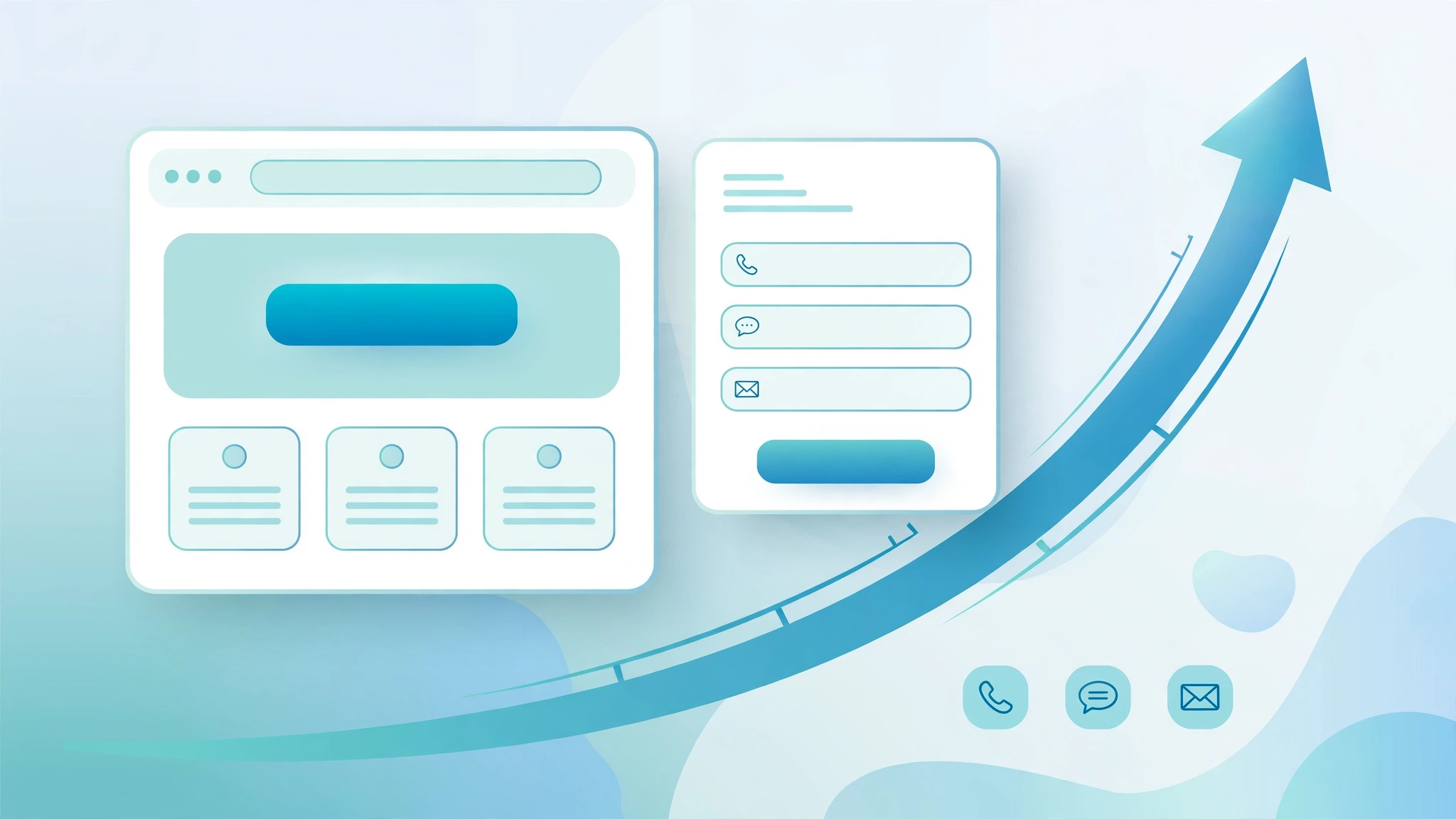
    How to Get More Leads From Your Website: 12 Practical Fixes

    Here’s a scenario we see constantly: a business gets decent website traffic — people are visiting — but the phone doesn’t ring and the contact form stays empty. The instinct is to buy more traffic: more ads, more social posts, more SEO. But if your site can’t convert the visitors it already has, more traffic just means more people leaving without contacting you. Before you spend a dollar on traffic, run through these twelve practical fixes, in order. Most cost nothing but an afternoon.

    The Real Problem: It’s Usually Not Your Traffic

    Start with two quick tests before changing anything:

    1. The 5-second test. Open your homepage on your phone, look at it for five seconds, then close it. Can you say what the business does, who it’s for, and what you’re supposed to do next? If you — who already know the business — can’t answer clearly, a stranger has no chance.
    2. The enquiry-path test. Pretend to be a customer and try to contact yourself: find the contact options, fill in the form, submit it. Did the form work? Did the email arrive? How long until someone responded? Most owners have never tested their own enquiry path end to end — and a surprising number find it’s broken.

    If both tests pass and leads are still thin, the fixes below are where the leaks usually are.

    Fix 1: Say What You Do in Five Seconds

    Your homepage headline is doing one job: telling a stranger what you offer, who you help, and where. Compare these:

    • “Welcome to Smith & Associates — Quality You Can Trust” — tells you nothing.
    • “Emergency Plumbing Repairs in Austin — Same-Day Service, Upfront Pricing” — tells you everything.

    The formula is simple: [service] + [who/where] + [the benefit or differentiator]. Add a short supporting line underneath that explains the main benefit in plain words. If your headline is a slogan, a mission statement, or “Welcome to our website,” rewrite it today. This one change has the highest impact-per-effort of anything on this list.

    Fix 2: Give Visitors One Obvious Next Step

    Every page should tell the visitor exactly what to do next — and it should be the same action everywhere. “Get a Free Quote,” “Book a Consultation,” “Call Now,” or “Chat on WhatsApp.” Pick one primary call to action and repeat it: at the top of the page, after each key section, and at the end.

    Two rules make CTAs work:

    • Name the outcome, not the mechanism. “Get a Free Roof Estimate” beats “Learn More” and “Submit” every time. People click on what they get, not on what the button does.
    • One primary action per page. A page with five different buttons (“Learn More,” “About Us,” “Our Blog,” “Follow Us,” “Contact”) gives the visitor five ways to avoid contacting you. One clear path wins.

    Fix 3: Make Calling and Messaging Effortless

    Different people prefer different ways to reach you — and every missing option is a lost enquiry. Cover the bases:

    • A visible phone number in the header, with tap-to-call on mobile. For local service businesses, a phone call is often the highest-value lead — don’t make visitors hunt for the number.
    • A WhatsApp or chat button, ideally floating on the page so it’s always one tap away. Many visitors — especially on mobile — would rather send a message than fill in a form or make a call.
    • A short enquiry form for detailed requests, plus your email address for those who want it.

    If you only offer a contact form, you’re turning away everyone who hates forms. If you only show a phone number, you’re turning away everyone who’d rather type. Offer the choice.

    Fix 4: Shorten Your Forms

    Every field on your form is another reason to quit. For a first contact, you need surprisingly little: name, a way to reach them (phone or email), what they need, and a short message. That’s it. Collect budget details, timelines, and the full project brief during the conversation — not before it.

    Three form rules from established form-usability research: keep fields to the essentials, use a single column with labels close to their fields, and write specific error messages so a mistake doesn’t silently block submission. And add one line near the submit button that says what happens next: “We’ll call you back within one business day.” Knowing what comes after the click removes the biggest hesitation people have about forms.

    Fix 5: Put Proof Where the Decision Happens

    Visitors ask themselves one question before contacting you: “Are these people legit?” Answer it right next to your call to action — not buried on a testimonials page nobody visits. Reviews, real project photos, client logos, certifications, and years in business all work. A quote form with “4.9 stars from 120+ clients” beside it converts differently than the same form alone.

    If you don’t have reviews yet, start collecting them systematically — they’re the highest-leverage trust asset a small business can build, and they also feed your Google Business Profile visibility.

    Fix 6: Fix the Mobile Experience First

    Most of your enquiries start on a phone. Open every key page on an actual mobile device (not just your desktop browser’s preview mode) and check: Is the headline readable without zooming? Is the call button reachable with a thumb? Does the form fit the screen, or does it require sideways scrolling? Does anything overlap or break? Mobile friction is invisible on desktop — and it’s where most leads quietly die.

    Fix 7: Speed It Up

    A slow page kills enquiries before they start: visitors leave before the contact options even load. The usual culprits on business sites are uncompressed images, too many plugins, and no caching. You don’t need a perfect score — you need your key pages loading in a few seconds on a mid-range phone. Our own site’s speed work cut load times dramatically with exactly these basics; see our website speed optimization notes for what’s involved. If your site takes more than a few seconds to become usable, fix this before worrying about anything else on the list.

    Fix 8: Give Every Service Its Own Page

    A single “Services” page listing everything converts worse than dedicated pages for each service. Why: a visitor searching for one specific thing (“emergency drain cleaning”) lands on a generic page and has to figure out whether you do that — most won’t bother. A dedicated page speaks directly to their problem, answers their questions, and ends with a relevant call to action. It also ranks better in search. If you offer six services on one page, splitting them out is one of the highest-impact structural fixes you can make — and a properly designed landing page takes it further for campaigns and ads.

    Fix 9: Get Found Locally

    This one isn’t strictly about conversion — it’s about making sure local customers find you at all. An optimized Google Business Profile and location-specific pages mean you show up when nearby customers search. No point perfecting your enquiry form if nobody in your area ever reaches the site. Our Google Business Profile guide covers the setup; our local SEO guide covers the rest.

    Fix 10: Follow Up Fast

    This is the fix most businesses ignore — and it’s not even on the website. When an enquiry comes in, speed of response decides who wins the job. Set up instant alerts (email + phone notification) for every form submission, and make it a rule: every enquiry gets a personal response the same day, ideally within the hour. Businesses that respond first win a disproportionate share of jobs simply because the customer stops looking. Test this yourself: send a test enquiry and time your own response.

    Fix 11: Test Your Forms Like a Customer

    Forms break silently. Notifications route to an old inbox. A plugin update kills the submit button on mobile. A required field with no error message traps visitors who can’t figure out what’s wrong. Once a quarter, fill in every form on your site like a real customer and confirm: the submission goes through, the notification arrives, and the confirmation message makes sense. One broken form can quietly cost you months of enquiries.

    Fix 12: Measure What’s Working

    You can’t improve what you don’t measure. With Google Search Console and GA4 set up, you can see which pages bring enquiries and which ones leak visitors. Watch three things monthly: which pages get the most contact-form starts, where mobile visitors drop off, and which search queries bring people in. Then apply the fixes above to the pages that matter most — the ones already getting traffic are where each fix pays off fastest.

    When It’s Time to Call a Professional

    These twelve fixes handle the common cases. But if your site is fundamentally outdated, hard to edit, or failing the 5-second test no matter how you rewrite the headline, you’re polishing something that needs rebuilding — our guide to the signs your website needs a redesign helps you tell the difference. And if you’re planning a rebuild, read how to choose a web design agency before you hire anyone.

    A website that turns visitors into enquiries is built, not stumbled into — it’s the core of our website design and development work: clear messaging, obvious next steps, and an enquiry path that actually works. Want us to run the full diagnostic on your site? Get a free quote — we’ll tell you exactly where your leads are leaking and what to do about it.

  • Logo Design Cost: What Small Businesses Actually Pay in 2026

    Logo Design Cost: What Small Businesses Actually Pay in 2026

    “How much does a logo cost?” is one of the first questions every new business asks — and the answers you’ll find online range from $5 to $50,000, which is no answer at all. The real question is what a logo should cost for a business like yours, and how to tell whether a quote is fair or a rip-off. This guide breaks down what small businesses actually pay for logo design in 2026, what drives the price up or down, and how to compare quotes like a professional buyer. (The ranges below are typical 2026 US-market estimates reported by design pricing guides — not guarantees, and not our prices. Every project is quoted individually.)

    The Short Answer: Typical Logo Design Costs in 2026

    If you want the numbers up front, here they are:

    DIY logo makers and AI tools: $0–$100. Instant, template-based marks. Fine for testing a business idea; weak for anything you want to trademark or build a real brand on, since hundreds of other businesses may be using nearly identical designs.

    Marketplaces (Fiverr and similar): $15–$500. Fast concepts from freelance sellers. Quality and originality vary widely — a $25 logo is usually a stock shape with your business name typed under it, not a custom design.

    Design contests (e.g., 99designs): $249–$2,499. You get dozens of competing concepts from multiple designers and keep the winner. Good for buyers who want options and can’t write a precise brief; you get less strategy and refinement than a one-on-one relationship.

    Freelance designers: $500–$2,500 for a logo-only project. Junior designers typically charge $300–$800; experienced freelancers $500–$2,500; senior brand designers $2,500–$5,000+. This is where most funded small businesses land — you get a custom mark, a few variations, and the full file set.

    Small agencies and studios: $1,500–$7,500 for a logo package. Research-led design, multiple concept rounds, and usually the beginnings of a visual system (colors, typography basics). Above this you stop buying “a logo” and start buying a full brand identity — which brings us to the important distinction.

    Logo vs. Brand Identity: Why the Price Difference Matters

    A logo is a single mark — a symbol, a wordmark, or both. A brand identity is the full visual system that makes your business recognizable everywhere: the logo and its variations (horizontal, stacked, icon-only, monochrome), color palette, typography, imagery style, and the rules for using them all consistently.

    A full identity typically costs $2,500–$10,000 from a freelancer or $5,000–$50,000+ from an agency, depending on depth — strategy workshops, brand guidelines documents, templates, and application design all add scope.

    Most small businesses don’t need the full identity on day one. A well-designed logo system (the mark plus its key variations and the core file formats) is enough to launch professionally. But here’s the practical rule: as soon as you have a website, social accounts, signage, and printed materials, a basic identity system starts paying for itself in time saved and consistency gained. Buying the logo from a designer who can grow into your full identity later is often smarter than buying the cheapest mark now and rebranding in two years.

    What Affects How Much Your Logo Will Cost

    Two quotes for “a logo” can differ by thousands of dollars because they’re not quoting the same thing. These are the factors that move the price:

    Research and strategy. A designer who studies your competitors, your customers, and your positioning before drawing anything is selling thinking, not just drawing. This is the single biggest difference between a $50 logo and a $2,000 one — and it’s what keeps your logo from looking like everyone else’s in your industry.

    Number of concepts and revision rounds. Three to five initial concepts with two to three revision rounds is the professional standard. More rounds mean more of the designer’s time — and legitimate designers charge for it.

    Deliverables and file formats. A professional logo package includes vector files (AI, EPS, SVG) that scale to any size, plus PNG and JPG for everyday use, in full color, monochrome, and reversed versions. If a quote doesn’t mention vector files, it’s not a professional package — raster-only logos (JPG/PNG) can’t be printed large or edited properly.

    Ownership and usage rights. You should receive full rights to use your logo everywhere, forever. Confirm this in writing — some marketplace sellers retain rights or charge extra for commercial use.

    Designer seniority. Typical 2026 freelance rates run $45–$75/hour for juniors, $75–$130 for mid-level designers, and $130–$200+ for senior brand specialists; agencies bill $100–$300+/hour. You’re paying for judgment as much as execution — experienced designers make fewer wrong turns, which is why their projects often finish faster despite higher rates.

    Timeline. A professional logo process usually takes two to eight weeks through discovery, research, concepts, refinement, and delivery. Need it in a week? Expect a rush premium of roughly 15–25%.

    How to Compare Logo Design Quotes Like a Pro

    When you’re holding two or three quotes, compare them on these points — not just the headline number:

    Concepts and revisions. How many initial concepts? How many revision rounds are included, and what counts as a revision?

    Complete file set. Vector files (AI, EPS, SVG) plus PNG/JPG? Color, black, white, and icon-only variations?

    Ownership. Full transfer of rights, in writing, included in the price?

    Process. Does the quote describe research and a revision workflow, or just “design a logo”?

    Trademark note. The designer isn’t your trademark lawyer, but a professional will flag that trademark search and filing is a separate step — typically $500–$2,000 on top of design costs if the mark matters to your business.

    A quote that answers all of these clearly is worth more than a cheaper one that answers none of them. The most expensive logo is the one you have to replace.

    When Cheap Logo Design Becomes Expensive

    Bargain logos have a way of costing more in the end. The common failure modes: a template-based mark that’s nearly identical to another business’s logo (a trademark conflict waiting to happen); missing vector files, so you can’t print signage or vehicle wraps; a design that looks dated within a year, forcing a rebrand; or inconsistent branding because there’s no color palette or typography guidance, so every new asset looks like it came from a different company.

    None of this means you need to spend $5,000 on day one. It means you should buy from someone who designs a logo as the start of a brand — with proper files, clear ownership, and variations that work everywhere from your favicon to your storefront — rather than from someone selling a single image file.

    Frequently Asked Questions

    How long does logo design take?
    Two to eight weeks is typical for a professional process: discovery, research, concepts, refinement, and final delivery. Faster is possible with a rush fee; slower usually means a deeper strategy process.

    Should I just use a DIY logo maker?
    For testing a business name or a side project, sure. For a real business you plan to grow, a custom logo is one of the highest-ROI investments you can make — it’s on everything you produce, and it shapes first impressions for years.

    Who owns my logo after it’s designed?
    You should, with full rights transferred in writing. Always confirm this before paying — don’t assume.

    Do I need to trademark my logo?
    Design and trademark are separate. If your brand matters to your business’s future value, budget for a trademark search and filing (typically $500–$2,000) with a qualified attorney or filing service. A designer can create an original mark; only the trademark process protects it.

    Get a Logo Your Business Actually Deserves

    Your logo is on your website, your social profiles, your packaging, your invoices, and your video intros — it’s the single most-seen asset your business owns. It’s worth getting right the first time.

    Our logo and brand identity design service builds logos as the foundation of a brand, not as isolated image files: research, multiple concepts, revision rounds, full vector file sets, logo variations, and clear ownership — plus the broader graphic design services to carry your brand across everything else, from your website design to animated logo intros in your video editing projects. Get a custom quote — every project is priced individually, no fixed packages — or contact us to talk about your brand.

    Related reading: Video Editing Services for Business: What to Look For and How to Choose

  • How to Hire a WordPress Developer: 10 Things to Check Before You Hire

    How to Hire a WordPress Developer: 10 Things to Check Before You Hire

    Hiring a WordPress developer looks simple until you are doing it. Every candidate promises a fast, beautiful site, yet businesses still end up with bloated builds, locked-in themes, and no idea who owns what when the relationship ends.

    Most hiring mistakes are not about finding a bad developer — they are about hiring without a vetting process. Below: the 10 things to check, freelancer vs agency, WordPress-specific red flags, a copy-ready brief template, and first-call questions.

    Still choosing a platform? Read our WordPress vs a custom website guide first — otherwise hire well with this checklist, or skip the vetting with our WordPress development services.

    Quick answer: do you actually need a WordPress developer?

    Not always. A simple brochure site can be built from a good theme by someone technical on your team. You need a developer for custom theme development, ecommerce/membership/booking functionality, real performance or SEO requirements, a broken or hacked existing site, or ongoing changes that make a maintenance relationship cheaper than paying per fix.

    The trap is skipping both DIY and professional help: a site built by someone who knows neither design nor code usually gets rebuilt within a year — and the rebuild costs more than doing it right the first time.

    The 10 things to check before you hire

    1. A live portfolio you can test yourself

    Screenshots are not a portfolio. Get live URLs, open them on your phone and laptop, and click around. Is it fast? Does mobile hold up? Do forms work? A portfolio you can stress-test beats any testimonial. Ask what they personally built — and whether they can explain the build decisions.

    2. Relevant experience with projects like yours

    A great brochure-site developer is not automatically right for your WooCommerce store. Specialized builds have specialized failure modes: payment edge cases, checkout speed, permission logic. Someone who has shipped several sites in your category already made the expensive mistakes on someone else’s project. For stores, ask about their WooCommerce development track record — and read up on what an ecommerce website costs so you can spot a fantasy quote.

    3. Real technical fundamentals — not just page-builder installs

    Installing a theme and dragging blocks around is a skill, but it is not development. A real developer knows PHP, HTML, CSS, and JavaScript, understands how themes and plugins work underneath, and can fix a plugin conflict or a broken update. Ask them to describe the last plugin conflict they fixed: a developer gives a specific, slightly painful story; a page-builder installer gives a vague answer.

    4. Speed and SEO habits, not just promises

    Everyone claims fast, SEO-friendly sites. Check whether it shows in their process: image optimization, limited plugin bloat, proper titles and meta descriptions, clean URLs, performance testing before handoff. Then verify yourself — run a portfolio site through a page speed test. If their own showcase sites are slow, their promises about yours are worth nothing.

    5. Communication quality in the first exchanges

    The first few emails predict the whole relationship. Do they answer your actual questions or paste generic replies? Do they ask about your business or jump straight to a price? Can they explain technical things plainly? Bad communication during the sales phase means worse communication when something breaks before launch.

    6. A quote tied to defined deliverables

    A number without a scope is a guess, not a quote. A proper quote lists pages and templates, features, copywriting, revision rounds, content migration, and what “done” looks like. Without this you cannot compare quotes — $2,000 and $8,000 for “a website” are not the same project. Best signal: a developer who asks you scoping questions before quoting. The brief template below makes this easy.

    7. A realistic timeline with milestones

    “Two weeks” for a custom 15-page site with ecommerce is a wish, not a timeline. A realistic proposal breaks work into milestones — design, development, content, testing, launch — with dates attached. That protects both sides: you see progress, and the developer has agreed checkpoints when scope creeps. Also clarify who owns delays caused by late content or feedback on your side.

    8. Ownership: domain, hosting, logins, and code

    Agree in writing before work starts: the domain is registered in your account, you own the hosting account, you get full admin logins, and you own the code and content outright on final payment. Watch for themes or plugins licensed to the developer’s account (updates die when you part ways), functionality locked in a proprietary theme, and “managed hosting” you cannot access. A developer relaxed about full handover is worth hiring.

    9. Post-launch support terms

    Sites break after launch — updates conflict, forms stop delivering, plugins get abandoned. Ask what support is included, for how long, and what counts as billable new work. A short included window for bugs in delivered work (typically 30 days) is standard; no support period at all is a red flag. Get the boundary in writing.

    10. A maintenance plan for after the support window

    WordPress needs ongoing care: updates, security monitoring, backups, small fixes. Without it, sites decay — slowly, then suddenly. Ask whether the developer offers an ongoing WordPress maintenance plan, or hands you to a dedicated provider like our website maintenance services. No maintenance offering and no referral means they disappear after launch.

    Freelancer vs agency: which fits your project?

    Factor Freelancer Agency
    Cost Usually lower Higher
    Communication Direct, one contact Often via a project manager
    Skill range Deep specialty, thin elsewhere Design, dev, SEO, content in-house
    Availability risk Work stops if they are unavailable Someone else can pick it up
    Best for Small, well-defined projects with a clear brief Larger builds, tight timelines, ongoing work

    Rule of thumb: hire a freelancer when one skilled person can own the project end to end; hire an agency when it needs multiple disciplines or the timeline cannot survive one person being unavailable. Comparing agencies? See how to choose a web design agency. Also consider a small paid test task first — how a candidate handles small work predicts the big project.

    Red flags that should make you walk away

    • Plugin-bloat builds. Dozens of plugins for basic functionality means a slow, fragile site. Good developers reach for custom code before a plugin for anything load-bearing.
    • Theme lock-in. A proprietary theme you cannot take elsewhere means you are renting your own website.
    • Nulled (pirated) plugins or themes. Common at the cheapest end, often carrying malware and never updated. Ask whether every license is genuine and registered to you.
    • No staging environment. Professionals test on a staging copy before touching production. Anyone editing your live site directly is one bad update from taking you offline.
    • “Unlimited revisions.” It sounds generous; it means the scope was never defined.
    • Competing purely on price. The cheapest bid cuts the corners you cannot see: no staging, no testing, no documentation. The cheapest build is usually the most expensive once you count the rebuild.
    • No questions about your business. A developer who never asks what the site must achieve will build something that looks fine and converts nothing.

    What to put in your project brief (copy-ready template)

    A clear brief turns five incomparable quotes into five comparable ones — send every candidate the same brief:

    • Business goals: What should the site achieve? (e.g., 20 quote requests a month, course sales, local bookings.)
    • Pages and templates: List every page and which share a layout — ten pages on three templates differs wildly from ten on ten.
    • Features: Forms, booking, ecommerce, membership, multilingual, CRM or email integrations — be specific.
    • Content: Supplying text and images yourself, or do you need copywriting and imagery?
    • Design direction: Two or three sites you like and what you like about them.
    • Timeline: Target launch date, and whether it is flexible.
    • Budget band: A range, not a single number — it gets you honest scoping instead of padded guesses.
    • Ongoing needs: Want a maintenance plan after launch? Say so now; it changes how the site should be built.

    A candidate who reads this and returns with sharp questions is worth shortlisting. One who ignores it and quotes a flat number has told you how the project will go.

    7 questions to ask on the first call

    No technical background needed — listen for specifics, not evasions:

    1. Show me two or three live sites similar to mine, and tell me your role on each.
    2. Walk me through your process from kickoff to launch — milestones, and where do I review?
    3. How do you handle speed optimization and basic SEO setup on a new build?
    4. Do you work on a staging site before pushing live? How do you handle backups?
    5. Who owns the domain, hosting, licenses, and code when we finish — and how does handover work?
    6. What is included in post-launch support, for how long, and what counts as billable new work?
    7. What do you need from me to hit the timeline, and what happens if I am late with content?

    These draw on the practical hiring checklists from Nadir Shabbir and Zuleika LLC — worth a read for a second opinion.

    Ready to hire with confidence?

    Verify the portfolio, match experience to your project, confirm the fundamentals, tie the quote to deliverables, settle ownership first, and plan for life after launch.

    Prefer to skip the vetting? See our WordPress development services and request a custom quote — send the brief template above filled in and we will scope it honestly, with milestones you can hold us to. Our contact page has every way to reach us.

  • How Much Does an Ecommerce Website Cost in 2026? Real Price Breakdown

    How Much Does an Ecommerce Website Cost in 2026? Real Price Breakdown

    “How much does an ecommerce website cost?” is one of the first questions every store owner asks — and the answers floating around the internet range from “$100” to “$250,000,” which is no answer at all. The truth is that an ecommerce build can mean a simple ten-product shop on a subscription platform, or a fully custom multi-warehouse store with ERP integrations. Those are different planets, not different price points.

    Here is the honest short version: a small-business ecommerce store in 2026 runs $2,000–$10,000 for a theme-based build, $10,000–$30,000 semi-custom, and $40,000+ fully custom. Below, we break down real price bands by store type, the total cost of Shopify vs. WooCommerce over three years, the eight things that actually drive the quote, and the ongoing costs most quotes leave out. If you are comparing providers, our ecommerce website development services page shows what goes into a professional build.

    Quick answer: 2026 ecommerce website cost by store type

    Published 2026 pricing guides from Easy Digital Downloads and KrishaWeb converge on roughly these bands:

    Store type Typical build range What it usually covers
    Starter store (template-based, small catalog) $2,000–$10,000 Premium theme, standard checkout, basic payment setup, launch-ready in weeks
    Custom small store (branded design) $5,000–$15,000 Custom front-end design on a standard platform, richer product pages and merchandising
    Mid-size store (hundreds of SKUs, integrations) $10,000–$30,000 Semi-custom build, advanced filtering, CRM/email/ERP connections, content migration
    Complex custom store $40,000–$150,000 Fully custom build, multi-month project with bespoke functionality
    Enterprise / headless $100,000–$250,000+ Custom architecture, high-scale traffic, multiple systems and teams

    One UK studio’s 2026 guide puts genuine custom Shopify or WooCommerce builds at £8,000–£25,000 — roughly where a professionally designed store for a growing business lands. For comparison, see how much a regular business website costs, where there is no cart, checkout, or catalog to build and maintain.

    The two paths and what they really cost over 3 years

    Most ecommerce projects take one of two paths: a SaaS platform like Shopify (monthly subscription, hosted for you) or a self-hosted platform like WooCommerce on WordPress (free plugin; you pay for hosting, themes, and development). The build quote only tells you the entry fee. Here is how the total cost of ownership compares over time:

    Cost component SaaS path (e.g. Shopify) Self-hosted path (e.g. WooCommerce)
    Platform/license Monthly subscription, rising with plan tier and sales features No license fee; quality hosting instead
    Transaction fees Around 2.9% + 30¢ per transaction (per EDD’s 2026 guide), on top of the subscription — this scales directly with revenue You pay your payment gateway’s fee directly; no platform cut
    Apps/extensions Monthly app fees that stack up (reviews, upsells, loyalty, subscriptions) One-time or annual extension renewals
    Maintenance Platform handles core updates; less technical maintenance You own updates, security, and backups — guides put ongoing maintenance at $100–$1,000+/mo depending on complexity

    The honest pattern: SaaS is usually faster and cheaper to launch, but subscription plus transaction fees grow with your revenue — at serious volume, that monthly platform cost quietly overtakes what self-hosted maintenance would have cost. WooCommerce asks more of you (or your developer) from day one, but nobody takes a percentage of every sale. Our WooCommerce development guide walks through what the self-hosted path involves in practice.

    The 8 things that actually drive ecommerce development cost

    When two quotes for “an online store” come back at $5,000 and $50,000, these are the factors explaining the gap:

    1. Catalog size and filtering. A 20-product store is a fundamentally different build from a 2,000-SKU catalog with faceted filtering, variants, and bundles. Every layer of product logic multiplies build and testing time.

    2. Custom design vs. theme. A premium theme with brand customization costs far less than a fully custom design. If your store competes on brand experience, custom design pays for itself; for a narrow catalog sold on price and speed, a good theme is usually enough.

    3. Checkout and payment setup. Standard checkout with one or two gateways is straightforward. Multi-currency pricing, regional payment methods, buy-now-pay-later, subscriptions, and B2B quoting each add integration and testing work.

    4. Integrations. Connecting the store to accounting software, an ERP, CRM, email marketing, warehouse, or POS turns a website project into a systems project — each integration is a build, a test cycle, and a maintenance surface.

    5. Product data and content migration. Importing products sounds automatic until you see the spreadsheets: inconsistent names, missing images, no descriptions, duplicate SKUs. Cleaning and importing real catalog data takes real time, and it is the line item most quotes underestimate.

    6. SEO foundations. Product URL structure, duplicate-content handling for variants, schema markup, and site speed all decide whether the store can rank. Building SEO in during development is far cheaper than retrofitting it later.

    7. Security and compliance. Checkout means handling customer and payment data: SSL, secure payment processing, privacy compliance, and protection against common attacks are non-negotiable.

    8. Timeline. A compressed timeline means parallel workstreams and less room to catch problems before launch. If your launch date is flexible, say so — it is one of the simplest ways to keep a quote down.

    What most development quotes leave out

    These are the costs that arrive after launch — the ones that surprise owners around month six:

    • Platform subscriptions. SaaS plans, plus the tier upgrades you will need as features and staff seats grow.
    • Transaction fees. Around 2.9% + 30¢ per order adds up fast at volume — model it against your projected sales, not your launch-month sales.
    • App and plugin renewals. That “free” plugin stack often renews annually at prices that creep up each year. Audit your app/plugin list yearly.
    • Premium hosting. A store needs faster, more reliable hosting than a brochure site — and hosting that was fine at 50 orders a month may buckle at 500.
    • Ongoing maintenance. Updates, security monitoring, backups, small improvements, and support. A WordPress maintenance plan turns this from surprise invoices into a predictable line item — see our website maintenance services for what that typically covers.

    When comparing quotes, add year-one ongoing costs to the build price. A $6,000 build with $400/month in subscriptions, apps, and maintenance is a $10,800 year-one cost — comparing build prices alone is how owners pick the “cheaper” quote that costs more by month twelve.

    Who you hire changes the price

    The same store spec can vary enormously by provider type:

    • DIY. Feasible for a simple store if you have the time and some technical confidence — your cost is the platform subscription, theme, and apps, plus many evenings. Realistic only for simple catalogs with standard checkout.
    • Freelancer. Often the sweet spot for small stores thanks to lower overhead. The catch is coverage — one person rarely does great design, development, SEO, and ongoing support. Vet carefully: read how to hire a WordPress developer before you sign anything.
    • Agency. A team covering strategy, design, development, SEO, and launch support. UK guides put genuine custom builds at £8,000–£25,000. You pay more because you are buying the whole launch — not just code.

    The cheapest quote usually means the narrowest scope. Make every provider quote the same brief (more on that below) and the gap between a freelancer and an agency usually shrinks — and becomes explainable.

    Platform decision shortcut: choosing Shopify vs WooCommerce

    If you are stuck on the platform question, these are the decision factors that actually matter — the full framework lives in our ecommerce website development buyer’s guide:

    • Speed to launch vs. long-term cost. Shopify gets you selling fastest. WooCommerce costs less as you scale because there is no platform percentage on your revenue.
    • Customization needs. Bespoke checkout flows, unusual product logic, or deep integrations point to self-hosted WordPress. Standard ecommerce is where SaaS simplicity wins.
    • Content and SEO ambitions. WooCommerce sits on WordPress — the strongest content and blogging platform available — which matters if content marketing is part of your growth plan.
    • Who maintains it. SaaS suits owners who want to think about products, not plugins. WooCommerce suits owners with a developer or a maintenance plan in place.

    Neither platform is “always cheaper” — it depends on your sales volume, customization needs, and who does the maintenance. Pick the platform for the business you will have in two years, not the one you have today.

    How to get a quote you can actually compare

    Ecommerce quotes are hard to compare because every provider quotes a different scope. Make them comparable by putting the same brief in front of everyone:

    • How many products at launch — and how many variants, categories, and attributes?
    • Which payment gateways, currencies, and checkout features are in scope?
    • Theme-based or custom design? How many unique page templates?
    • Which integrations are included (email, CRM, accounting, shipping, ERP)?
    • Is product data migration included, and who cleans the data?
    • What SEO foundations are in the build (structure, schema, speed, redirects if migrating)?
    • What does year one cost after the build — subscriptions, apps, hosting, maintenance?
    • How many revision rounds, and what does post-launch support cover?

    A provider who asks you these questions before quoting is usually the safer bet. One who quotes a flat number off a ten-minute call is guessing — and ecommerce guesses get expensive.

    If you want a number based on your actual catalog and goals — not a generic range — take a look at our ecommerce website development services, and request a custom quote. We will ask about your products, volume, and platform preference first, then give you an honest figure. Our engagement models are here if you want to see how we structure projects before you reach out.

  • How Much Does a Website Redesign Cost? 2026 Price Guide by Site Type

    How Much Does a Website Redesign Cost? 2026 Price Guide by Site Type

    “How much does a website redesign cost?” is one of the most common questions we hear — and one of the hardest to answer with a single number. A redesign can mean a light visual refresh of a five-page site, or a full rebuild of a 200-page platform with integrations, migrated content, and SEO protection. Those are not the same project, and they do not cost the same.

    Here is the honest short version: a typical small-business website redesign in 2026 runs $3,000 to $15,000. More complex or conversion-focused projects run $15,000 to $50,000, and large custom sites go beyond that. Below, we break down real price ranges by site type and provider, the seven factors that actually drive the cost, and how to get a quote you can compare — plus the SEO cost most redesign quotes quietly leave out.

    Quick answer: 2026 redesign price ranges by site type

    Published 2026 pricing guides converge on roughly these bands (sources linked at the end):

    Site type Typical redesign range What it usually covers
    Landing page / single page $300–$3,000 One page, one goal, minimal copy
    Small business website (5–20 pages) $2,000–$20,000 Custom design, basic SEO setup, forms
    Mid-market site (20–75 pages) $20,000–$75,000 Multiple sections, integrations, approval workflows
    Ecommerce site $5,000–$50,000+ Catalog, cart, payments, product migration
    Large / enterprise platform $75,000–$250,000+ Custom architecture, multiple systems, scalability

    One useful reality check from Clutch’s 2026 buyer data: most small-business buyers spent under $10,000 on their most recent project, even though the median project across all business sizes lands closer to $36,500. Averages mislead — your realistic number depends far more on scope than on any single published figure.

    Who you hire changes the price

    The same project quoted by different provider types can vary by 5–10x. That does not mean the cheapest option is a bargain — it usually means the scope is different. Here is the honest map:

    Provider Typical range Timeline Best for
    DIY / template $800–$5,000 1–2 weeks Landing pages, personal sites, tight budgets with time to spare
    Freelancer $3,000–$10,000 2–6 weeks Small business sites and portfolios with straightforward needs
    Boutique agency $5,000–$25,000 4–10 weeks Growing businesses that need strategy plus execution
    Full-service agency $25,000–$75,000 8–16 weeks Complex products, SaaS, multi-stakeholder projects

    If you split design from development — hiring a design agency and a separate build team — expect the design portion alone to run roughly 40–50% of the total. A single team handling custom website design and development together is usually cheaper than coordinating two vendors.

    The 7 things that actually drive redesign cost

    When two quotes for “the same” redesign come back at $5,000 and $50,000, these are the factors explaining the gap:

    1. Page count — and unique templates, not just pages. A 10-page site with 3 page templates costs far less than a 50-page site with 12 different layouts. Every unique template needs its own design, responsive breakpoints, and development. Content-heavy sites (blogs, resource centers) add page count even when the templates are simple.

    2. Design depth. A clean template-based refresh costs less than a fully custom design system with components, animations, and detailed states. If your website plays a real role in sales or lead generation, templates rarely deliver enough value — the design is the difference between looking credible and looking interchangeable.

    3. Content migration. Moving blogs, service pages, and media libraries can be straightforward — or extremely manual if the old content is inconsistent, outdated, or full of broken formatting. Content work is often 10–25% of the total budget, and it is the line item most quotes underestimate.

    4. SEO protection. If URLs change during the redesign (and they usually do), every changed URL needs a redirect, updated on-page elements, and validation afterward. Skip this and you can lose months or years of search traffic overnight. We cover what this involves in our technical SEO checklist — and if organic traffic matters to your business, budget for SEO services alongside the redesign, not after it.

    5. Integrations. CRMs, booking tools, payment systems, email platforms, memberships, custom forms — each one adds build and testing time. A “simple” site with six integrations is not a simple site.

    6. Copy and conversion work. Rewriting pages, sharpening the messaging, improving calls to action, and adding proof (reviews, results) can cost more upfront than design-only changes — but it is usually what moves the needle on inquiries. A prettier site that says the wrong things converts no better than the old one.

    7. Timeline. Rush projects cost more. A compressed timeline means overtime, parallel workstreams, and less room to catch problems early. If the deadline is flexible, say so — it is one of the easiest ways to keep a quote down.

    Redesign vs. refresh vs. rebuild: which do you actually need?

    Not every outdated site needs a full redesign. Knowing which level you need saves real money:

    • Refresh — new visuals on the existing structure. Right when the design looks dated but the structure, content, and platform are fine. Cheapest option.
    • Redesign — new structure, new design, same platform. Right when navigation is confusing, conversions are weak, or the brand has outgrown the site.
    • Rebuild — new platform plus new design. Right when the current platform blocks something you need (performance, integrations, maintainability). Expect a rebuild to cost 20–40% more than a redesign of the same page count, because of data modeling, integration rework, and content migration.

    We wrote a guide to the signs your website needs a redesign — run through it before you commit to a full project. Sometimes the honest answer is a refresh plus better copy, not a five-figure rebuild.

    The cost most quotes leave out: protecting your SEO

    This deserves its own section because it is where redesigns go wrong most expensively. A redesign that changes URLs, page structure, or content without an SEO migration plan can tank organic traffic — and recovering it costs far more than preventing the drop.

    A proper SEO-safe redesign includes a full URL inventory, a redirect map for every changed or removed page, updated titles and meta descriptions, preserved (or improved) internal linking, and post-launch validation in Search Console. If a quote does not mention redirects and migration explicitly, the quote does not include them — ask.

    And remember: the redesign is a one-time project, but staying visible is ongoing. If SEO is part of your growth plan, budget the monthly cost separately — our guide to how much SEO costs per month breaks down realistic ranges.

    How to get a quote you can actually compare

    Redesign quotes are hard to compare because providers quote different scopes. Make them comparable by putting the same brief in front of everyone:

    • How many pages, and how many unique templates (not just pages)?
    • Is copywriting included, or are you supplying the text?
    • Is the SEO migration — redirects, on-page updates, Search Console validation — included?
    • Which integrations are in scope, exactly?
    • How many revision rounds, and what counts as a round?
    • What does post-launch support cover, and for how long?

    A provider who asks you these questions before quoting is usually the safer bet. One who quotes a flat number off a 10-minute call is guessing — and you will pay for the guess later in change orders.

    If you are weighing a redesign and want a number based on your actual site — not a generic range — see what our website redesign service covers and request a custom quote. We will look at your current site first and tell you honestly whether you need a redesign, a refresh, or just better copy — even if the honest answer costs us the project. Our engagement models are here if you want to see how we structure projects before you reach out.

    Sources

  • Landing Page Design Services: What to Expect, What It Costs, and How to Choose

    Landing Page Design Services: What to Expect, What It Costs, and How to Choose

    What Landing Page Design Services Actually Include

    When you hire a specialist for landing page design, you are not buying a pretty page. You are buying a page engineered around a single action — a form submission, a phone call, a booked consultation, a purchase. Most reputable landing page design services include several layers that go well beyond visuals:

    • Strategy and messaging. The designer works from your offer, your audience, and where the traffic comes from. A page that receives Google Ads traffic needs tight message match with the ad; a page for a webinar needs a different structure than one selling a home renovation quote.
    • Copywriting support. Many agencies write or heavily edit the headline, sub-headline, benefit bullets, and call-to-action text. Great design cannot save weak messaging, so this step matters more than most buyers expect.
    • Design and development. The page is designed for your brand and built to be fast, mobile-first, and technically sound — clean code, compressed images, and no bloated page builders slowing it down.
    • Integrations. Your form connects to your CRM, email tool, or booking system, so no lead falls through the cracks.
    • Tracking setup. Conversion tracking for Google Ads, Meta, and analytics is configured so you can see exactly which campaigns produce leads — not just clicks.
    • Testing and refinement. The best providers A/B test headlines, forms, and calls to action after launch instead of declaring the job done on day one.

    If a quote only mentions “design” and says nothing about messaging, tracking, or testing, you are looking at a page builder, not a conversion service.

    Landing Page vs. Full Website: When Each Makes Sense

    A landing page is not a replacement for a website — it is a specialist tool. Your main website builds trust, explains your full range of services, and ranks in search engines. A landing page does one job: convert a specific visitor into a lead or customer.

    Hire a landing page design service when:

    • You are running paid ads and sending traffic to your homepage (this is one of the most common budget leaks in digital marketing — homepages give visitors too many exits).
    • You are launching a new offer, promotion, or lead magnet and need a focused page fast.
    • You want to test a new market, service, or pricing message before rebuilding your whole site.
    • You need campaign-specific pages that match each ad group’s promise.

    Our website design and development services cover both — full business websites and focused landing pages — because the two work best as a system: the website builds credibility, the landing page captures the demand.

    What a High-Converting Landing Page Needs

    Regardless of who builds it, every effective landing page shares the same anatomy. Use this as your quality checklist when reviewing any designer’s portfolio:

    1. One clear promise above the fold

    The headline should tell the visitor exactly what they get and who it is for, in plain language. “Websites that turn visitors into customers” beats “Welcome to our digital solutions” every time. The sub-headline adds one supporting detail — a benefit, a timeframe, or a differentiator.

    2. A single, repeated call to action

    One goal, one action. Whether it is “Get a Free Quote” or “Book Your Consultation,” the same call to action should appear in the hero, mid-page, and at the end. Multiple competing offers split attention and kill conversions.

    3. Proof near the decision points

    Testimonials, review snippets, client logos, or before-and-after examples placed close to the form do more work than a wall of praise at the bottom of the page. Keep proof specific and believable — vague claims invite skepticism.

    4. Friction-free forms

    Every field you add reduces completion rates. Ask only for what you genuinely need to follow up: usually a name, an email or phone number, and one qualifying question. Long interrogation-style forms belong on later steps, not the first touch.

    5. Mobile-first, genuinely fast design

    Most ad traffic arrives on phones. The page must load in a couple of seconds on a mid-range device, with tap-friendly buttons and a layout that reads top-to-bottom without pinching or sideways scrolling.

    How Much Do Landing Page Design Services Cost?

    Pricing varies widely, so treat these as typical market ranges you will see quoted — not fixed prices — and always ask what is included:

    • Template-based landing page: the lowest-cost option. A designer customizes a proven template with your branding and copy. Fine for simple campaigns with tight budgets, but limited in differentiation.
    • Custom single landing page: designed from scratch around your offer, with professional copywriting support, integrations, and conversion tracking. This is the sweet spot for most small and mid-sized businesses running ads or promotions.
    • Landing page + testing package: a custom page plus structured A/B testing over several weeks or months. Best when you have meaningful traffic volume and every percentage point of conversion rate is worth real money.

    The biggest cost drivers are copywriting quality, custom development versus templates, the number of page variants, and ongoing testing. Be wary of prices that seem too good to be true — they usually mean a recycled template, stock copy, and no tracking. For a broader sense of how web project pricing works, see our breakdown of how much a website costs in 2026.

    DIY Builders vs. Hiring a Landing Page Design Service

    Tools like Unbounce, Instapage, and Leadpages let anyone drag together a landing page in an afternoon. For a quick experiment or a tiny budget, that can be the right call. But consider what you give up:

    • Messaging expertise. Builders give you blocks; they do not tell you what to say. Most underperforming landing pages fail on the message, not the layout.
    • Technical performance. DIY pages often load slowly and break on some devices, quietly taxing your ad spend with bounced visitors.
    • Tracking accuracy. Misconfigured conversion tracking means you optimize campaigns on bad data — the most expensive mistake of all.
    • Your time. Designing, writing, integrating, and testing a page properly takes days. Your time running the business is usually worth more.

    A practical middle path: use a builder for quick tests, and hire a professional when the campaign budget is large enough that a better conversion rate pays for the design many times over.

    How to Choose the Right Landing Page Design Partner

    Ask these questions before you sign anything:

    • Can I see live landing pages you built — not just screenshots? Visit them on your phone. Check the load speed, the clarity of the offer, and whether the call to action is obvious within seconds.
    • How do you approach the messaging? A strong partner asks about your offer, your audience, and your traffic source before talking about colors. A weak one starts with templates.
    • What conversion tracking do you set up? You want named, tested conversion events in your ad platforms and analytics — not a vague promise that “tracking is included.”
    • Who owns the page and the accounts? You should own the domain, hosting, and ad accounts outright. Never accept a setup where leaving the agency means losing your pages.
    • What happens after launch? The honest answer includes a testing plan: what gets tested first, how results are measured, and how often you review them together.
    • How do you handle revisions and timelines? Get the number of revision rounds and a realistic delivery date in writing. (Our guide to how long it takes to build a website explains what realistic timelines look like.)

    Red Flags to Walk Away From

    • Guaranteed conversion rates or guaranteed ROI — nobody honest guarantees these.
    • A portfolio of beautiful pages with no discussion of results, testing, or strategy.
    • No questions about your business, offer, or traffic source during the sales call.
    • They want to lock your pages into their proprietary system with no export option.
    • The quote is dramatically cheaper than everyone else’s with no clear explanation of what is excluded.

    Frequently Asked Questions

    How long does it take to design a landing page?

    A straightforward custom landing page typically takes one to three weeks from kickoff to launch, depending on copywriting needs, revision rounds, and how quickly you provide feedback and assets. Testing packages run longer by design.

    Do I need a landing page if I already have a website?

    If you run paid ads or promotions, yes — almost always. Sending ad traffic to a homepage usually converts worse than sending it to a focused page built around the ad’s promise. Your website and your landing pages serve different jobs.

    Can a landing page rank on Google?

    It can, but landing pages are primarily built for paid and direct traffic. If organic search is the goal, a full content page or service page with real depth usually performs better. The two complement each other.

    What should I prepare before hiring a designer?

    Your offer details, your target audience, where traffic will come from, your brand assets (logo, colors, photos), any existing testimonials, and access to your ad accounts and analytics. The more you bring, the faster the project moves.

    The Bottom Line

    A landing page is a small asset with an outsized job: turning the traffic you already pay for into the leads and customers your business runs on. The design matters, but the messaging, the offer, the tracking, and the testing matter more. Choose a partner who thinks in conversions first and pixels second.

    If you are planning a campaign and need a page built to convert — or a full website that works as hard as your ads do — get a quote from Codeify Digital and tell us about your offer. And if your business depends on local customers finding you on Google first, make sure your Google Business Profile is fully optimized — it is often the first impression before the click.

  • Ecommerce Website Development Services: A Buyer’s Guide

    Ecommerce Website Development Services: A Buyer’s Guide

    Choosing who builds your online store is one of the highest-stakes decisions a retail business makes. The wrong platform or partner means years of workarounds, surprise fees, and a store that fights you instead of selling for you. This buyer’s guide explains what ecommerce website development services include, how to compare platforms and providers, and the questions that separate a good partner from an expensive mistake.

    What Ecommerce Development Services Include

    Scope varies by provider, so always ask for it in writing. A complete service typically covers:

    • Discovery and planning: product catalog structure, customer journeys, payment and shipping workflows
    • Platform setup: Shopify, WooCommerce, or custom — configured for your products, taxes, and regions
    • Design: storefront design optimized for conversion, not just appearance
    • Development: theme customization or custom build, integrations (payments, shipping, email, CRM, inventory)
    • Product setup: categories, attributes, variants, and bulk import for large catalogs
    • SEO foundations: clean URLs, product schema, fast pages, editable metadata — built in from day one, because URL structure is painful to fix after launch
    • Testing: full purchase flows tested on real phones, not just desktops
    • Launch and training: go-live support plus training so your team can manage products and orders

    Our ecommerce development service covers this full scope; our WooCommerce guide goes deep on the most popular self-hosted platform.

    Choosing a Platform: Shopify vs WooCommerce vs Custom

    • Shopify: the pragmatic default for most retailers — fast, reliable, low-maintenance, with fees that grow as you scale. Hosted, so security and PCI compliance are handled for you.
    • WooCommerce: flexible and open-source on WordPress — no platform fees, full ownership, but you manage hosting and security. The sweet spot for businesses that want control without custom-build cost.
    • Custom development: unlimited control and no platform fees, at higher upfront cost and ongoing maintenance responsibility. Worth it when platform limits genuinely constrain the business — not before.

    Match the platform to where your business actually is, and revisit as you grow. Starting custom “because it sounds serious” usually means paying for flexibility you do not yet need. Staying on a hosted platform long after fees and limits bite costs real money too.

    What Ecommerce Development Costs

    Market ranges: a focused starter store $1,500–$3,000; a custom UX store with accounts and integrations $3,000–$8,000; B2B or marketplace builds $8,000+. Beyond the build, budget for payment processing fees (2–3% per transaction), apps/plugins, hosting, and ongoing maintenance. A store that costs $3,000 to build can cost $200–$500/month to run — factor that in before you commit. See our website cost breakdown for the full picture.

    How to Evaluate a Development Partner

    Compare at least three written proposals against the same requirement list. Look for:

    • Live examples of similar stores — not just screenshots; visit them and buy something
    • Platform expertise in the platform they recommend for you — ask why that platform and not the alternatives
    • Clear scope: deliverables, milestones, exclusions, payment schedule, in writing
    • Ownership: written confirmation that you own the code, design files, and customer data
    • Post-launch support: defined plan with response times — who fixes the checkout at midnight?
    • SEO capability: technical SEO in the build, not as an afterthought

    Red Flags

    • Guaranteed Google rankings or traffic
    • No written contract or vague scope
    • Refusal to provide admin access or source code
    • Choosing on price alone — the cheapest quote usually drops integrations, testing, or support
    • Ignoring SEO until after launch

    These evaluation principles overlap with hiring any web partner — see our guide to choosing a web design agency.

    Frequently Asked Questions

    How long does it take to build an online store?

    Typically 8–16 weeks for a standard store; large catalogs or custom features take longer. See our website timeline guide for the phase-by-phase breakdown.

    Should I start on Shopify and migrate later?

    Often yes — start selling fast on the platform that fits today. Migrate when fees, limits, or workflows genuinely constrain growth, not on speculation. Plan the migration with proper redirects so you keep your rankings.

    Do I need a custom design or is a theme enough?

    A well-customized premium theme serves most stores. Custom design pays off when brand differentiation directly drives sales (fashion, lifestyle) or when the buying journey is unusual. Our WordPress vs custom guide covers the build-vs-template decision more broadly.

    The Bottom Line

    The right ecommerce partner connects your business goals to a clear plan: the right platform for your stage, a written scope, SEO built in from day one, and support after launch. Get three comparable proposals, check live stores they built, and never choose on price alone. Tell us about your store — we will recommend the platform and scope honestly, even if the right answer is smaller than you expected.

  • WordPress Maintenance Plans: What’s Included and Why Your Site Needs One

    WordPress Maintenance Plans: What’s Included and Why Your Site Needs One

    A WordPress website is not a one-time project. Once your site is live, it needs ongoing care to stay secure, fast, and reliable — and that is exactly what a WordPress maintenance plan provides: a monthly service that keeps your site updated, backed up, monitored, and fixed when something breaks.

    This guide explains what a maintenance plan actually includes, what it should cost, what happens without one, and how to tell a good plan from a checkbox exercise.

    What a WordPress Maintenance Plan Includes

    At minimum, a solid plan covers the work that keeps a WordPress site safe and running:

    • Core, theme, and plugin updates — applied on a regular schedule and tested afterward, not just clicked and forgotten
    • Off-site backups — stored somewhere other than your web server, so a server failure does not take your backups with it
    • Security monitoring and malware scanning — proactive detection before a breach, not cleanup after one
    • Uptime monitoring — you know the site is down before your customers tell you
    • Repair or rollback when an update breaks something — updates can conflict; a plan includes the fix
    • Someone to contact — technical support when something goes wrong

    Higher-tier plans add small content updates, performance optimization, monthly reports, and hack cleanup. Our website maintenance service covers these essentials.

    Why WordPress Sites Need Ongoing Maintenance

    Security

    WordPress powers a huge share of the web, which makes it the most targeted platform. Outdated plugins and themes are the most common entry points for hackers. When developers find a vulnerability, they release a patch — applying it quickly is what keeps your site safe. A site that “looks fine” can be vulnerable behind the scenes for months.

    Performance

    Without optimization and cleanup, sites get slower over time: bloated plugins, unoptimized databases, growing image libraries. Slow pages hurt user experience and rankings — see our speed optimization guide for what is at stake.

    Compatibility

    WordPress core, themes, and plugins are built by different developers. An update to one can break another. Regular, tested updates prevent the slow accumulation of conflicts that eventually takes a site down.

    Backups: your safety net

    If something goes wrong and there is no recent backup, recovery can mean rebuilding from scratch. Daily off-site backups mean you are never more than a day away from a working site.

    What Happens Without a Maintenance Plan

    • Security breaches — the longer updates are skipped, the wider the window for attackers
    • Broken functionality — contact forms, checkout pages, and integrations silently stop working
    • Downtime you discover late — no monitoring means finding out from an angry customer
    • Emergency developer bills — one hacked-site cleanup often costs more than a year of prevention
    • Slipping search rankings — hacked or slow sites get penalized; see our technical SEO checklist

    What Should a Maintenance Plan Cost?

    Market pricing depends on how much human time is included. Update-and-backup plans typically sit around $50–$150/month; plans that include fixes, small jobs, and security cleanup cost more because someone is doing real work each month. Be wary of very cheap plans that only automate updates — ask who checks the site afterward, who fixes a broken update, and whether malware cleanup is included or billed separately.

    Prevention always costs less than recovery: a single emergency fix frequently exceeds a full year of maintenance. For a custom quote based on your site’s size and needs, contact us.

    DIY vs a Maintenance Plan

    You can do maintenance yourself: update monthly, back up off-site, scan for malware, monitor uptime. The honest question is whether you will — consistently, every month, for years. Most business owners start with good intentions and stop within six months. A plan buys consistency and accountability, plus someone to call at 2 AM when the checkout breaks.

    Frequently Asked Questions

    Can I just update plugins myself when WordPress notifies me?

    You can, but blind updates are how sites break: a plugin update can conflict with your theme, and without a tested backup you have no way back. A maintenance routine tests updates instead of hoping they work.

    Does my host’s automatic update feature replace a maintenance plan?

    No. Auto-updates handle only the update itself — they do not test the result, fix conflicts, monitor uptime, clean malware, or answer when something breaks. They are a tool inside a maintenance routine, not a replacement for one.

    How is this different from a redesign?

    Maintenance keeps your current site healthy; a redesign rebuilds it. If your site is outdated, slow despite optimization, or no longer reflects your business, read the signs you need a redesign — maintenance cannot fix structural problems.

    The Bottom Line

    A WordPress maintenance plan is not an upsell — it is the operating cost of owning a WordPress site, like servicing a car. Updates, backups, security monitoring, and someone accountable: that is the whole job, done every month without you thinking about it. If your site has not been updated in months, start today — see what our maintenance service covers or talk to us about taking over your site’s care.

  • How Much Does a Website Cost in 2026? A Realistic Price Breakdown

    How Much Does a Website Cost in 2026? A Realistic Price Breakdown

    “How much does a website cost?” is the first question almost every business owner asks — and the hardest to answer with a single number, because a website can mean anything from a one-page DIY builder site to a custom ecommerce platform. This guide gives you realistic 2026 price ranges by website type, explains what drives the cost up or down, and shows you how to read a quote so you can tell a bargain from a trap.

    The Short Answer: Website Cost Ranges in 2026

    Based on prices published by agencies and freelancers, here is what businesses typically pay:

    • DIY website builder (Wix, Squarespace): $15–$50/month subscription
    • Freelancer, basic brochure site (3–5 pages): $500–$2,000
    • Small business website, professional (5–15 pages): $2,000–$8,000
    • Custom business website (larger, more features): $5,000–$25,000
    • Ecommerce store: $3,000–$20,000+ depending on products and integrations
    • Custom web application: $10,000+ with no practical upper limit

    These are market ranges, not our prices — every project is quoted individually. They are useful because they tell you which tier your project sits in before you start talking to anyone. If you want our engagement models, see our pricing page.

    What Drives the Price Up or Down

    1. Number of unique page designs

    Ten pages sharing one layout cost far less than ten pages with ten distinct designs. Most of the cost is design and content work, not code.

    2. Custom functionality

    The moment you need logins, bookings, payments, or a customer dashboard, you have crossed from “website” into “web application” — the engineering effort multiplies. A contact form is trivial; a member portal is not.

    3. Design: template vs custom

    Template-based builds are cheaper and faster; custom design costs more but gives you a unique brand presence. Our WordPress vs custom website guide breaks down how platform choice affects both cost and timeline.

    4. Content: who writes it?

    Professional copywriting and photography add to the bill — but empty placeholder text also delays launch. Budget for content or plan to write it yourself before development starts.

    5. Integrations

    CRM connections, email marketing, payment gateways, booking systems, multilingual support — each integration adds cost. List them all in your brief so quotes are comparable.

    6. SEO and performance work

    Technical SEO foundations, speed optimization, and schema markup take real expertise. A cheap site that no one finds is the most expensive kind — see our technical SEO checklist for what “SEO-ready” should include.

    The Hidden Costs Most Quotes Leave Out

    Ask about these before you sign, because they can turn a $2,000 website into a $3,500 one:

    • Domain: ~$10–$20/year
    • Hosting: $5–$100+/month depending on traffic and quality
    • Premium plugins/licenses: $50–$500/year
    • Ongoing maintenance: updates, backups, security — see why a WordPress maintenance plan matters
    • Post-launch SEO or advertising

    How to Compare Quotes Fairly

    Never compare on price alone. For each quote, check:

    • How many unique page designs are included (and how many revision rounds)?
    • Is content/copywriting included, or is that on you?
    • Is technical SEO and speed optimization part of the build?
    • What happens after launch — is any support or maintenance included?
    • Who owns the site, the domain, and the content when the project ends?

    The cheapest quote often excludes the items above — then bills them as extras. Our guide on choosing a web design agency lists the questions that reveal what a quote really covers.

    Frequently Asked Questions

    Why do website prices vary so much?

    Because “a website” is not one product. A freelancer assembling a template and an agency doing strategy, custom design, copywriting, and SEO are selling different things at different price points. Compare the scope line by line, not the total.

    Is a cheap website ever a good idea?

    For a simple online presence — a landing page validating a new idea — yes. For a business that depends on its website for leads or sales, a cheap build that loads slowly, ranks poorly, and converts badly costs more in lost business than it saves. Read the signs your website is costing you customers if you suspect yours is.

    How long does a website project take at these prices?

    Roughly: 1–4 weeks for a simple brochure site, 4–8 weeks for a small business site, 8–16 weeks for ecommerce. See our realistic website timeline guide for the full breakdown.

    The Bottom Line

    A realistic budget for a professional small-business website in 2026 is $2,000–$8,000 for the build, plus hosting and maintenance each year. The right question is not “what is the cheapest website?” but “what will this website return?” — a site that brings in two new clients a month pays for itself quickly. Get a free, no-obligation quote describing your goals, and we will tell you honestly which tier your project sits in and what it should include.